
RSS Feeds
RSS feeds allow you to display dynamic, automatically updating content on your screens — such as news headlines, weather data, or custom data feeds.
Where to Use RSS Feeds
Section titled “Where to Use RSS Feeds”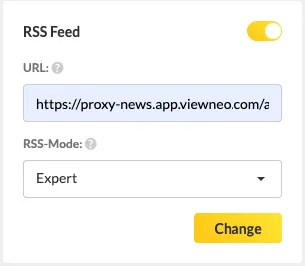
RSS feeds can be used in two ways in viewneo:
In Slides and Templates
Section titled “In Slides and Templates”You can insert RSS feed data into text fields within the Content Designer. The text field displays the feed content and updates automatically.
For details on setting up RSS/XML text fields, see Text Elements.
In the Live Ticker
Section titled “In the Live Ticker”RSS feeds can also power the Live Ticker Plugin, which displays scrolling text at the bottom (or top) of your screen. Enter a valid RSS feed URL in the Live Ticker settings to display feed content as a ticker.
Pre-Built News Content
Section titled “Pre-Built News Content”viewneo provides ready-made news templates in the Free Content folder within the Content section. You can:
- Drag them directly into a playlist
- Copy them to your own folder and customize them
Since these are viewneo-provided templates, you must copy them to a folder with write access before editing.
Requirements
Section titled “Requirements”- A valid RSS or XML feed URL
- An active internet connection on the player to fetch updated feed data