
Multiple playlists on a schedule
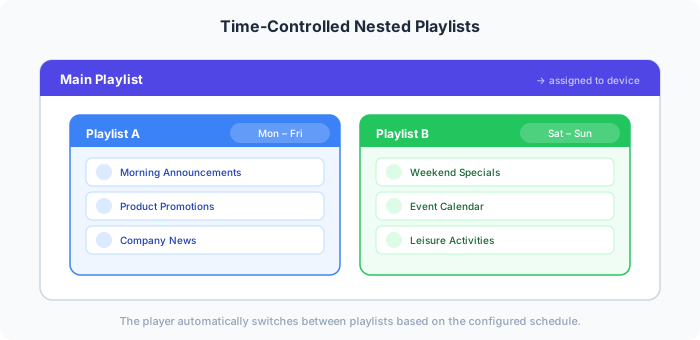
A player always plays exactly one playlist. If different content should run at different times, you combine them in a main playlist and give each added playlist a schedule.
Example: lobby during the day and in the evening
Section titled “Example: lobby during the day and in the evening”In the lobby, welcome and breakfast should run during the day, and the evening offers in the evening.
- Create two playlists: “Lobby Tag” and “Lobby Abend”, and fill them with content.
- Create the main playlist “Lobby” and add both playlists via the Playlists tab in the media browser.
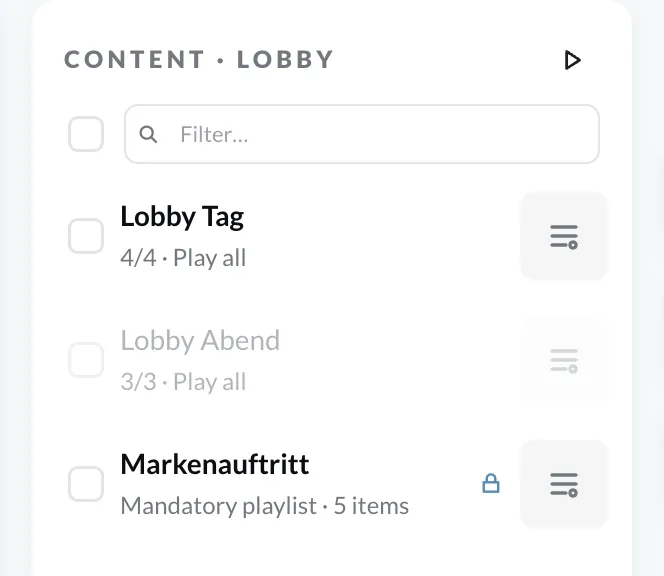
- Double-click “Lobby Tag” and, on the Schedule tab, choose the playback rule On schedule with start time 06:00 and end time 18:00. If needed, restrict the weekdays, e.g. to Mon–Fri.
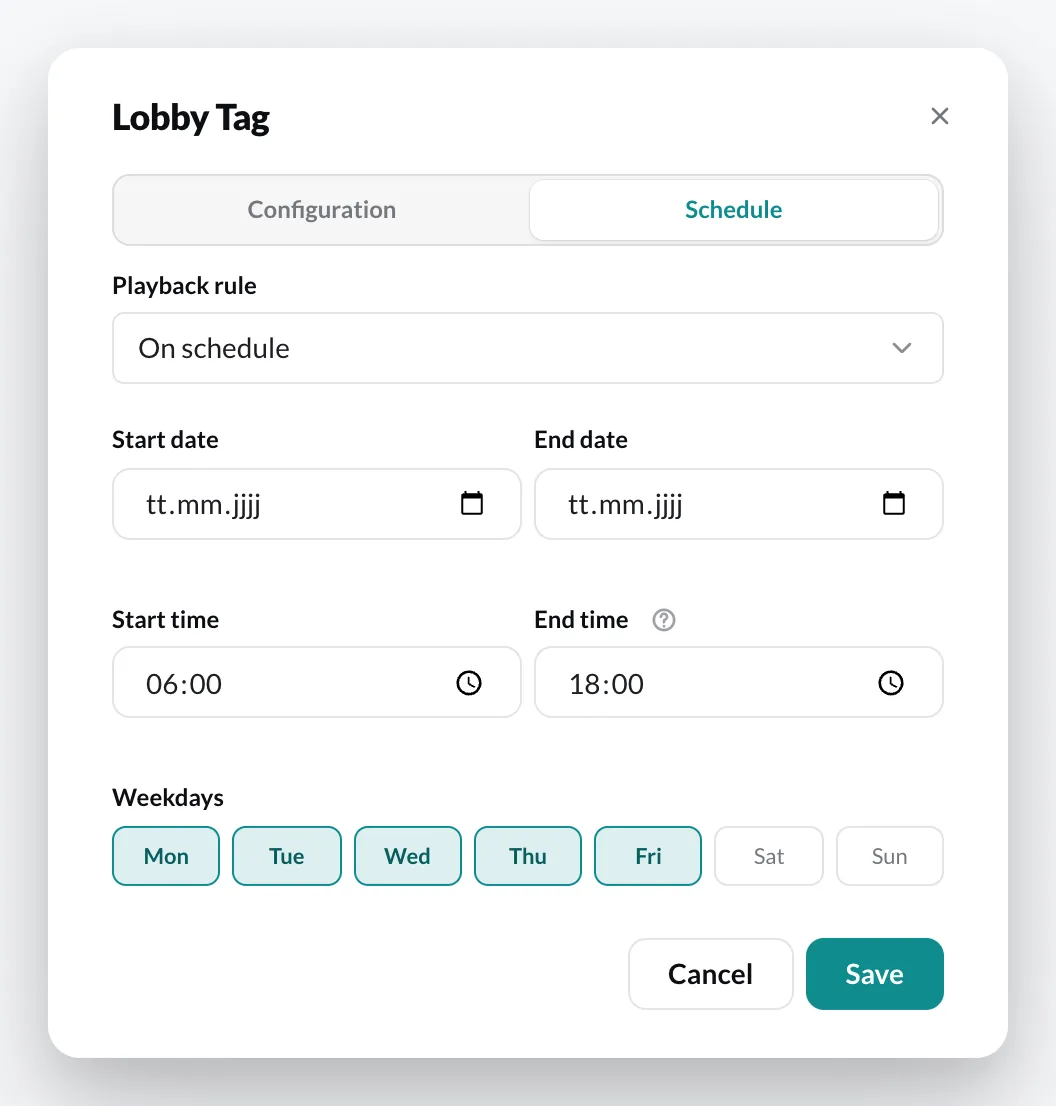
- Set “Lobby Abend” to 18:00 to 06:00 – the window runs across midnight.
- Click Save and assign the playlist “Lobby” to the device group.
The player now switches between the playlists by itself.