
What is viewneo?
viewneo is a digital signage system: you design and schedule content – images, videos, Slides, websites or content from plugins – in your browser, and a player shows it on a screen. Whether it’s a single monitor at reception or hundreds of displays across several locations: everything is managed centrally via the viewneo CMS.
How it works
Section titled “How it works”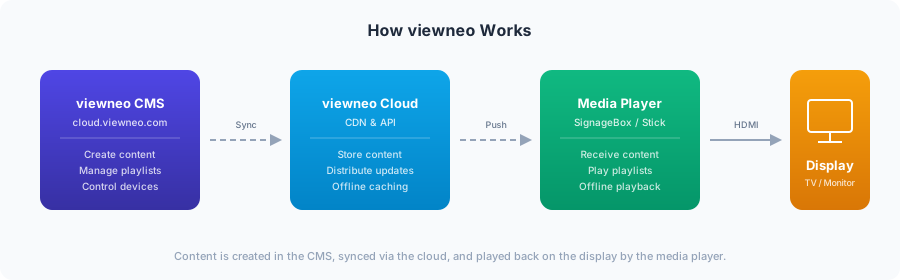
The system consists of three parts:
- CMS – the web interface at cloud.viewneo.com. Here you upload media, design Slides, compile playlists and control your devices.
- Player – a small device or an app at the screen. The player loads the content from the cloud, stores it and plays it.
- Display – any TV, monitor, video wall or projector.
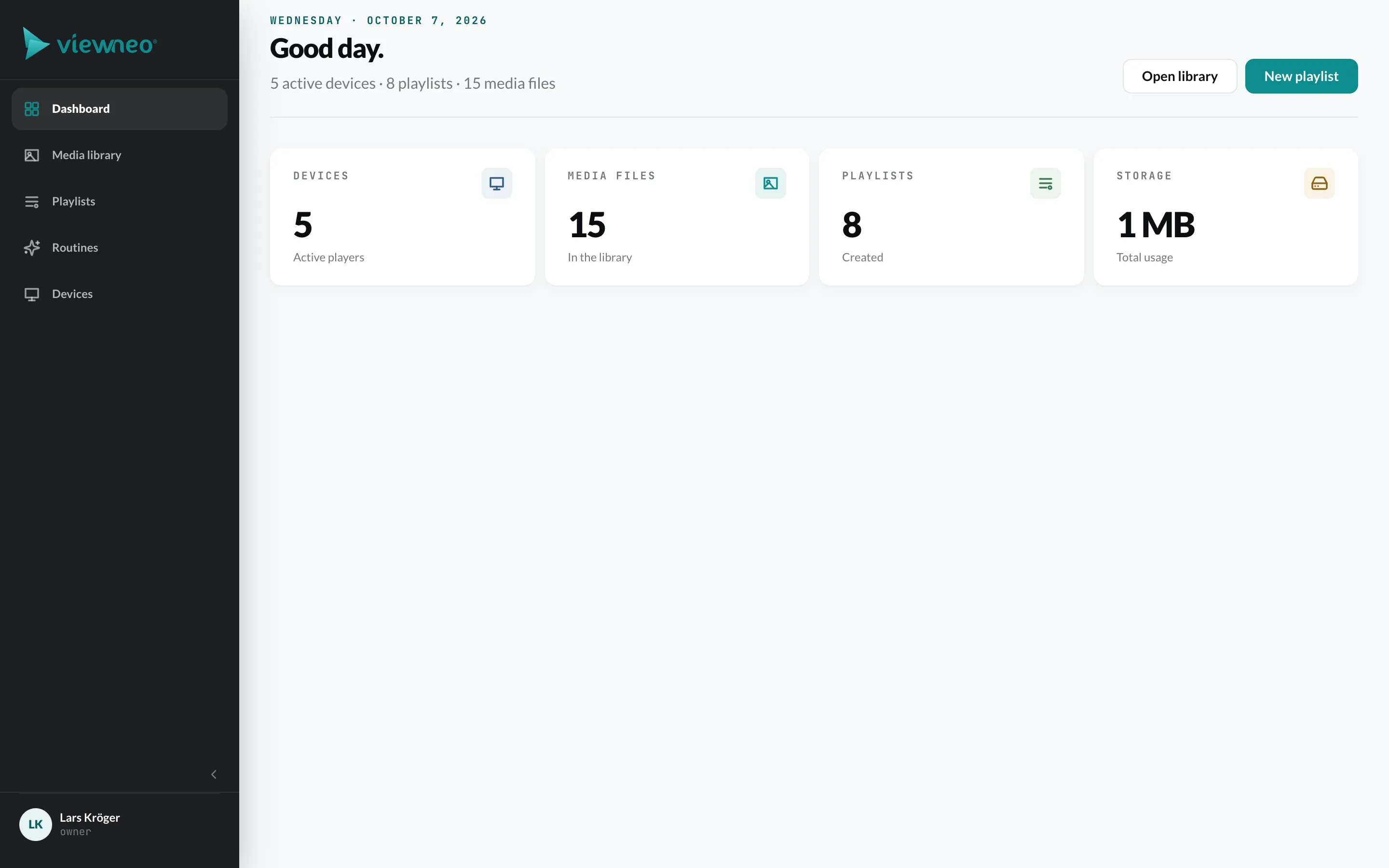
The CMS is divided into five areas, which you find in the navigation on the left:
| Area | What for |
|---|---|
| Media library | Manage images, videos, documents, Slides, Templates, websites and plugin content |
| Playlists | Put content in order, set duration and schedule |
| Routines | Automate workflows, e.g. “when someone touches the screen, show …” |
| Devices | Activate players, organize them in groups and configure them |
| Plugins | Book additional features – from Weather to Kiosk Mode |
Use cases
Section titled “Use cases”- Advertising and offers – in-store promotions, digital menus
- Information – news, announcements, daily schedule
- Visitor guidance – wayfinding in hotels, clinics, museums and public buildings
- Internal communication – news for employees in the office, canteen or break room
- Waiting areas and lobbies – entertainment and orientation for guests
What you need
Section titled “What you need”| Part | Description |
|---|---|
| Account | A free account at cloud.viewneo.com/register |
| Player | A viewneo player or a viewneo app with internet access (Wi-Fi or LAN) – see Hardware overview |
| Display | Any TV, monitor, video wall or projector |