
Switch to Enterprise
Enterprise is not a separate account but a level of your existing account. Everything you have already created is kept.
Upgrade
Section titled “Upgrade”- Open Settings › Plan & billing.
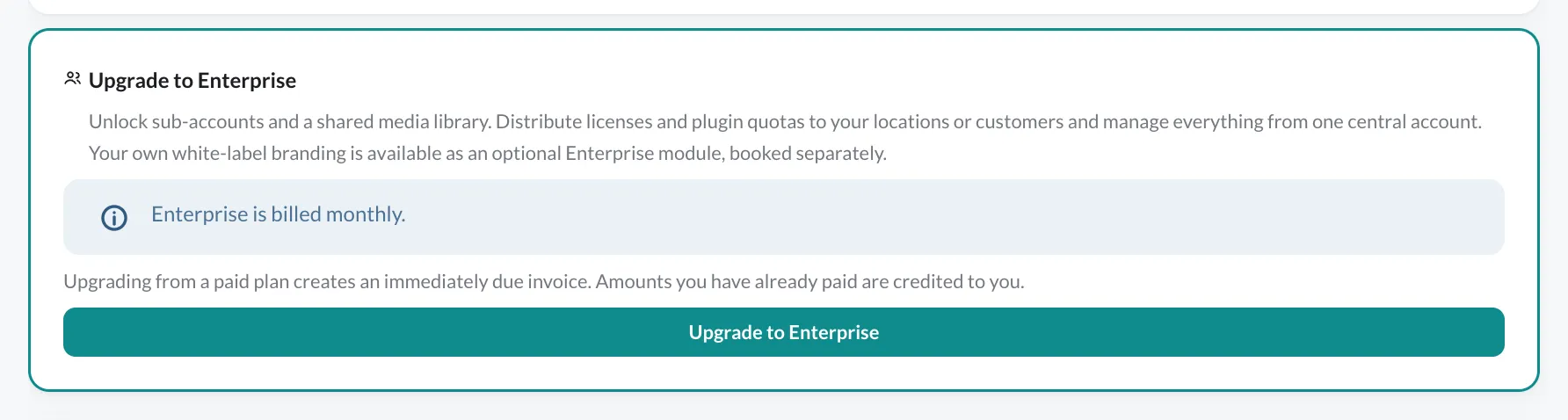
- In the Upgrade to Enterprise card, click Upgrade to Enterprise.
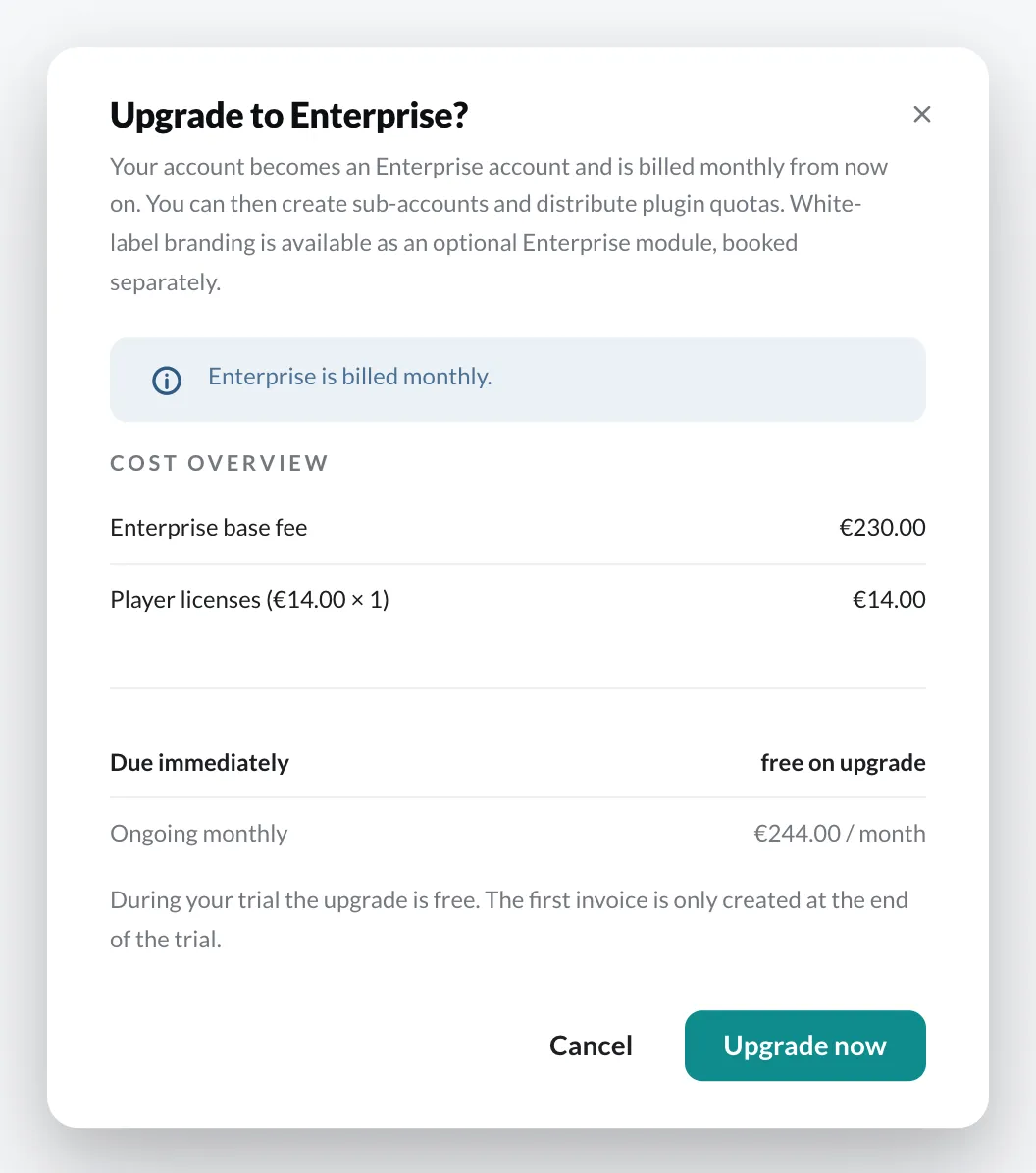
- The dialog shows the Cost overview: the Enterprise base fee, your player licenses at the Enterprise price and – if booked – your plugins. Below that, it shows what is Due immediately and what is charged Ongoing monthly.
- Click Upgrade now.
The Enterprise section is then available under Settings.
Billing
Section titled “Billing”- Enterprise is billed monthly.
- During the trial period, the upgrade is free of charge. The first invoice is created at the end of the trial period.
- From a paid plan, an invoice due immediately is created on upgrade. Amounts already paid are credited to you.
- The costs of all sub-accounts go on your main account’s invoice.
Give up Enterprise
Section titled “Give up Enterprise”At the very bottom of Settings › Plan & billing you will find Give up Enterprise capability. This downgrades your account to Standard. A dialog first lists every consequence; you confirm with a checkbox and your password. Enterprise and White Label are removed from your subscription, and your player licences are billed at the standard price from the next invoice.