
Mandatory playlists
With a mandatory playlist, one of your playlists runs along in every playlist of a sub-account – at the beginning or at the end. This way, for example, the head office’s brand presentation appears on all screens of a location. The sub-account sees the mandatory playlist but cannot edit it.
Set a mandatory playlist
Section titled “Set a mandatory playlist”- Open Settings › Enterprise and, for the sub-account, ⋯ › Edit / details.
- Switch to the Mandatory playlist tab and choose one of your playlists.
- Set how it should run and click Save.
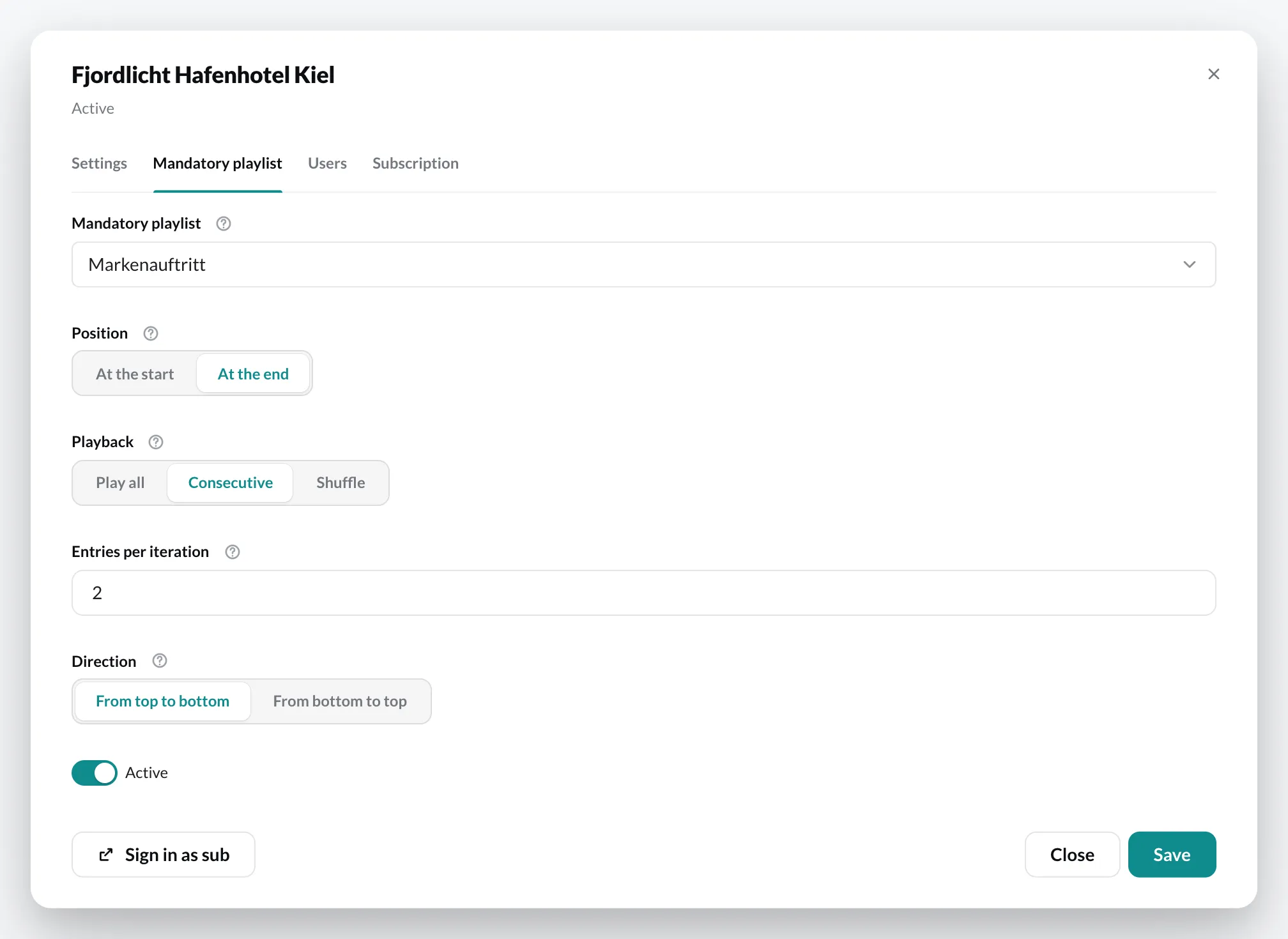
The settings
Section titled “The settings”| Setting | Meaning |
|---|---|
| Position | At the start or At the end – whether the mandatory playlist runs before or after the sub-account’s content. |
| Playback | Play all shows the entire playlist on every pass. Consecutive and Shuffle only show a portion. |
| Entries per iteration | How many entries are shown per pass. Without a value, the entire playlist runs. |
| Direction | From top to bottom or From bottom to top – in which direction the portion moves through the playlist. |
| Active | Turns the mandatory playlist on or off without losing the settings. |
Example: The playlist “Markenauftritt” has eight entries. With At the end, Consecutive and 2 entries per iteration, every pass shows two entries at the end – the next time, the next two. This works like an ad break with nested playlists.