
Live Ticker
The Live Ticker places a scrolling banner over all content on a screen – with your own text, the headlines of an RSS feed or the current time.
Book the plugin under Plugins and assign it to the device (see Plugins on the device). The Live Ticker section then appears in the settings of the device or group.
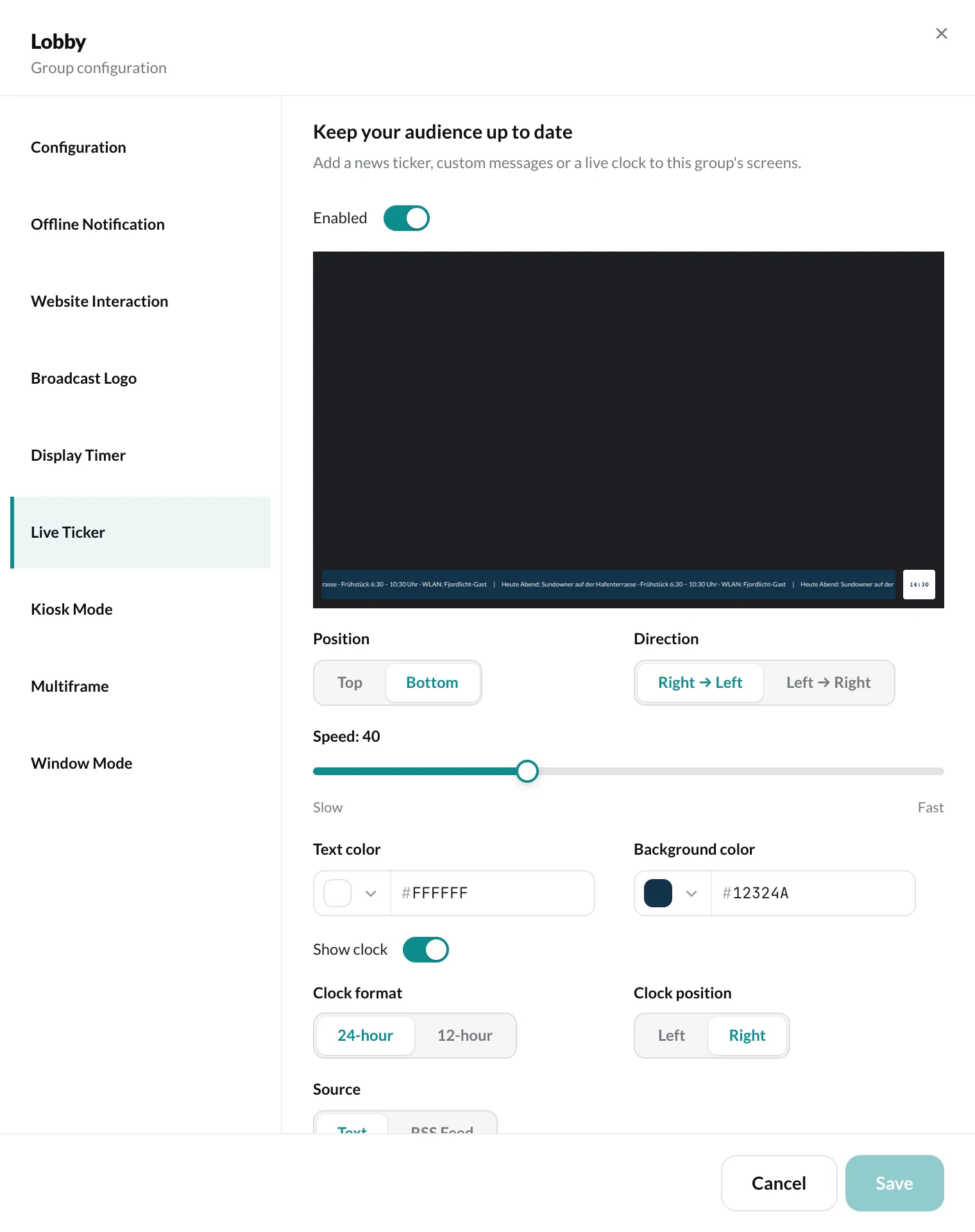
Settings
Section titled “Settings”| Setting | Meaning |
|---|---|
| Enabled | turns the ticker on or off |
| Source | Text – your own Ticker text – or RSS Feed with the RSS feed URL |
| Position | Top or Bottom edge of the screen |
| Direction | Right → Left or Left → Right |
| Speed | from Slow to Fast |
| Text color, Background color | colors of the banner |
| Show clock | shows the current time in the ticker, either 24-hour or 12-hour and Left or Right |
The preview in the section shows what the banner looks like. Finally, click Save.