Reset
Reset (Soft Reset)
Section titled “Reset (Soft Reset)”A soft reset restores the SignageBox to factory settings via the Android settings.
- Open the player menu and switch to the System tab
- Click Settings
- Select Backup & Reset
- Select Factory Data Reset
- Enable Erase SD Card and confirm with Reset Tablet
- Confirm with Erase Everything
Factory Reset (Hard Reset with a Paperclip)
Section titled “Factory Reset (Hard Reset with a Paperclip)”If the SignageBox no longer starts correctly or does not respond, you can perform a hard reset using the physical reset button.
- Disconnect the power cable from the device
- Connect a USB keyboard and the HDMI cable
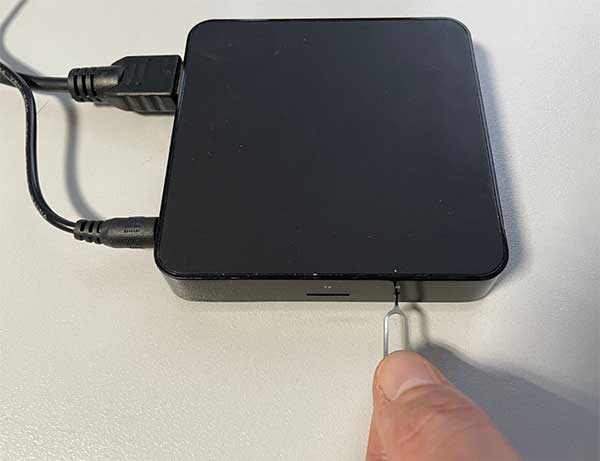
- On the left side of the device there is a small opening labeled R. Insert the paperclip or SIM card ejector tool and hold the button down
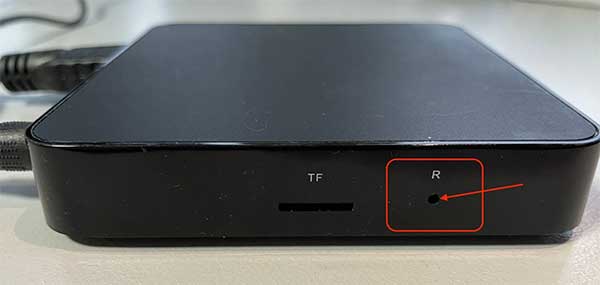
- Keep holding the button while you connect the power cable at the same time. Hold the button until the message boot appears on the display
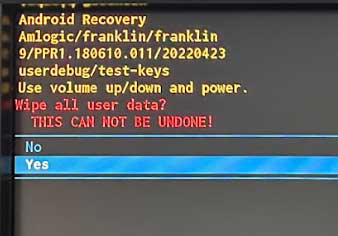
- The recovery menu appears on the screen. Select Wipe data/factory reset
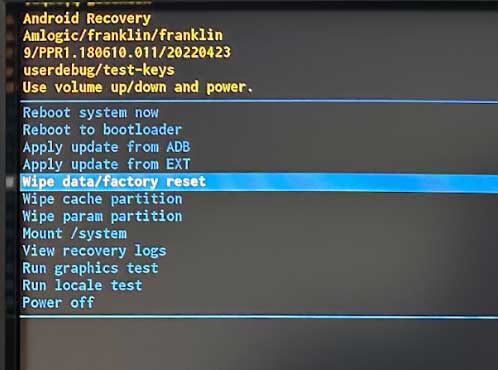
- Confirm with Yes
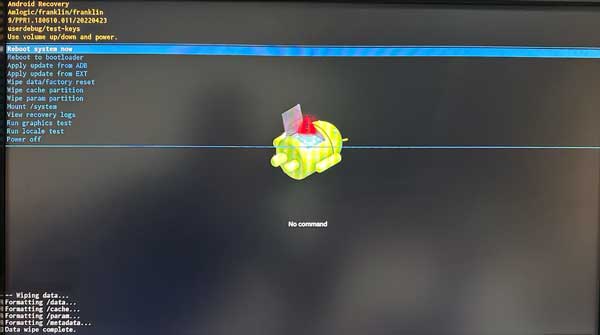
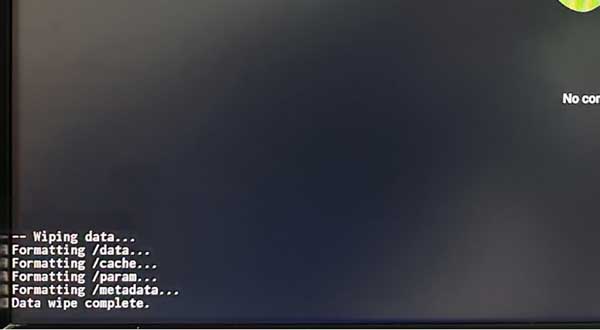
- When finished, the message Data wipe complete appears
- Select Reboot system now — the device restarts and is reset