
IoT & Sensors – Overview
With IoT devices, your screens react to what happens in front of them – for example when someone takes a product off the shelf. The device reports the event to viewneo, and a routine decides what the screen shows in response.
In the CMS, you find your IoT devices under IoT devices in the navigation.
RFID hub
Section titled “RFID hub”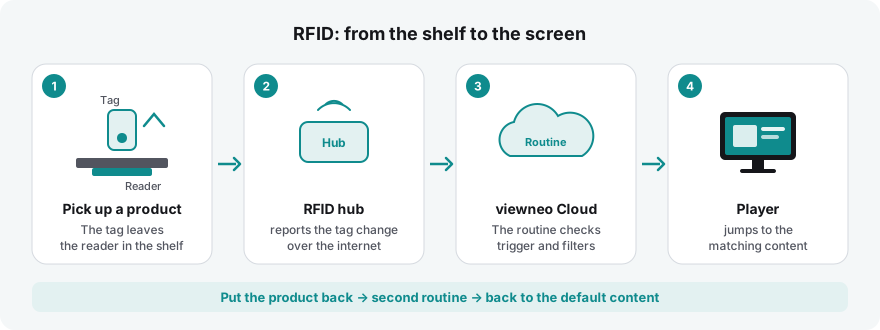
The RFID hub connects readers that detect which tag is currently placed on them. When a tag is placed or lifted, a routine can show content on your players – for lift & learn in retail, stations in museums, exhibits at trade fairs or a quiz.
viewneo Butler (Zigbee gateway)
Section titled “viewneo Butler (Zigbee gateway)”The Butler is a Zigbee gateway for wireless sensors such as motion detectors, door and window contacts or buttons.