
Text elements
You add a Text via + › Text. Double-click the text box on the canvas to type.
Under Text in the properties, you set the Type:
| Type | Shows |
|---|---|
| Text | your own text. Only this type can be a placeholder. |
| External feed | a field from the document’s feed, e.g. the latest headline – see RSS feeds |
| Counter | a Countdown or Count-up to a target date and time, in a format such as DD:HH:MM:ss |
| Date & time | the current date, the time or both, with a date format (e.g. DD.MM.YYYY) and 24- or 12-hour display |
| Page number | the position of the content in its playlist, e.g. “3 / 12” |
Typography
Section titled “Typography”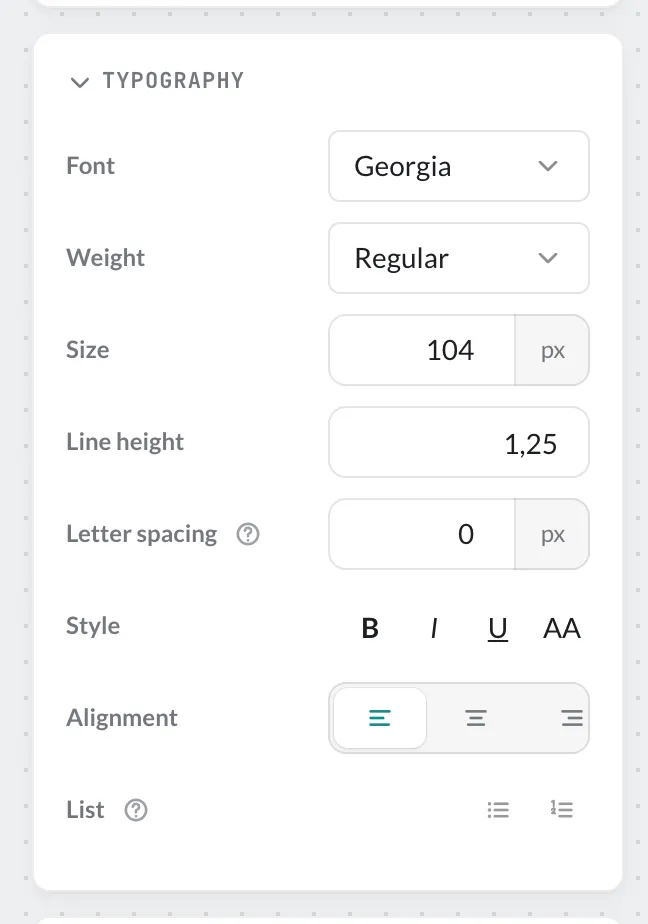
| Setting | Meaning |
|---|---|
| Font and Weight | e.g. Georgia, Regular |
| Size | in pixels |
| Line height | spacing between lines |
| Letter spacing | character spacing in pixels; negative = tighter |
| Style | Bold, Italic, Underline, Uppercase |
| Alignment | Left, Center, Right |
| List | Bulleted list or numbered list |
Under Appearance you also set the text colour, opacity and an outline; with Background the text gets an area behind it.