
Activate a device
For a player to play content, you activate it once in the CMS. Every player belongs to a group – so create one first if there isn’t one yet (see Create a device group).
The Devices page
Section titled “The Devices page”The Devices page has three columns: on the left the groups, in the center the devices of the selected group, on the right the details of the selected device.
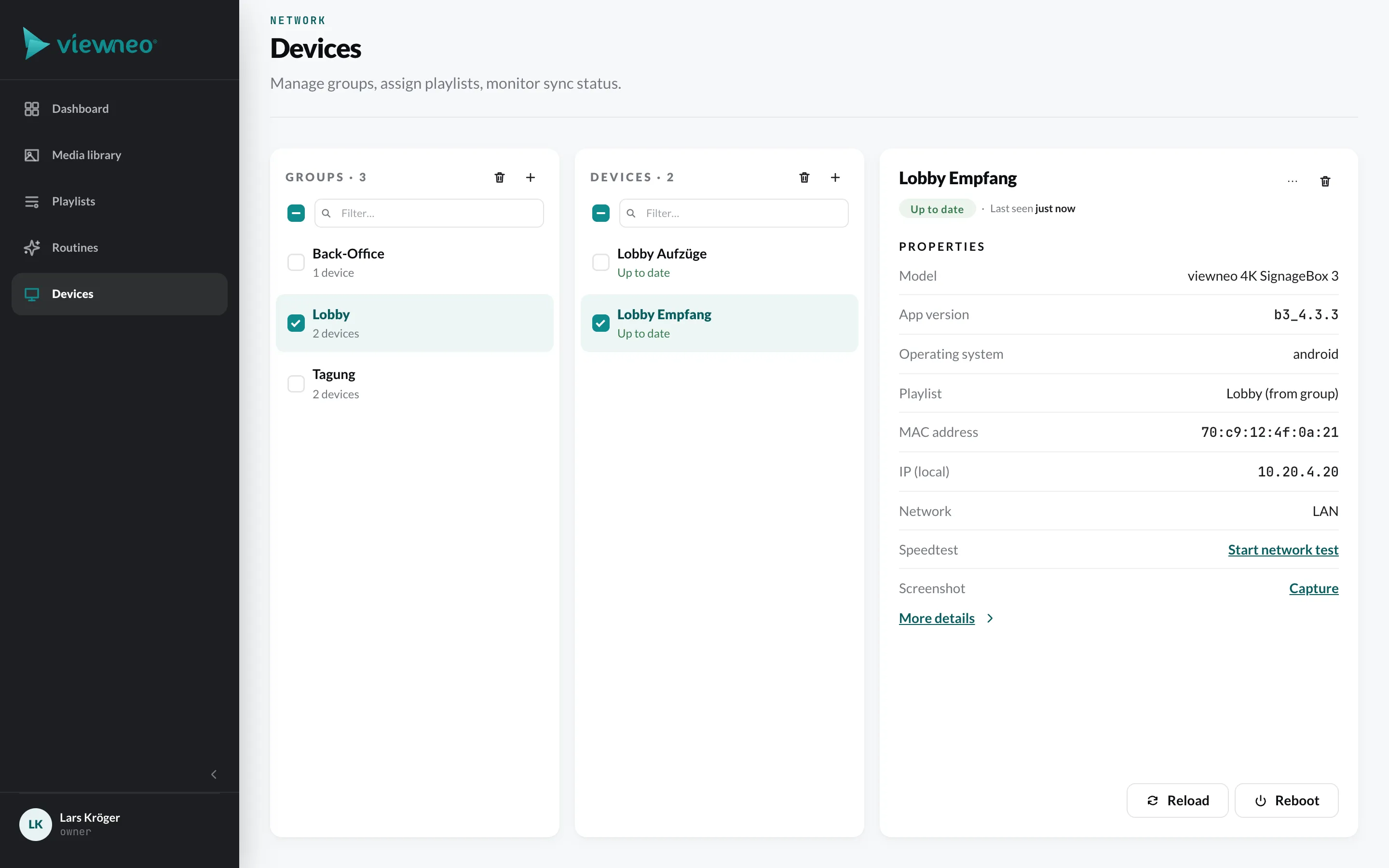
Select a group first – only then does the middle column show its devices.
Activate a player
Section titled “Activate a player”- Switch on the player. An Activation code of 6 characters (uppercase letters and digits) appears on the screen.
- In the CMS, under Devices, select the group the player should belong to.
- Click Activate device.
- Enter a Device name, e.g. “Lobby Empfang”, and the Activation code.
- Optional: Activate available plugins right away assigns all plugins for which you still have free licenses to the new device.
- Click Activate.
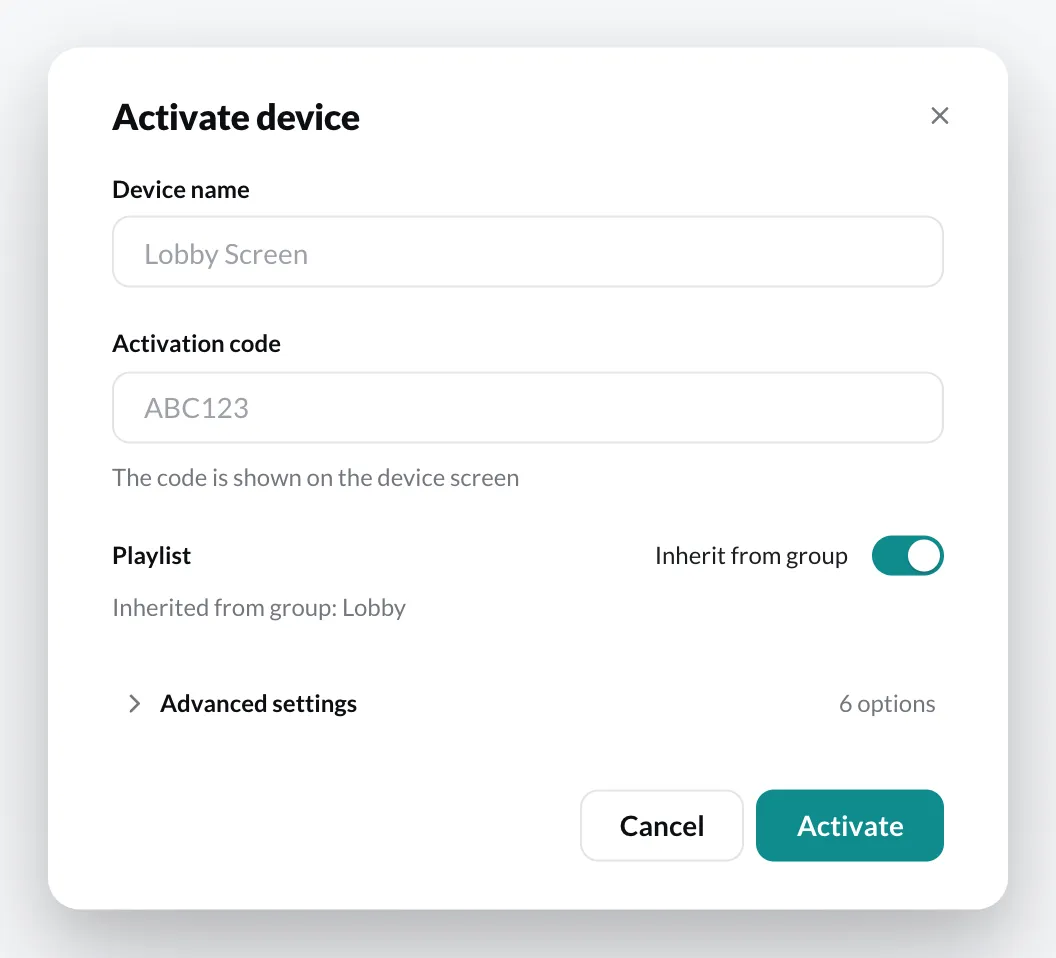
The player then registers with the CMS, loads its group’s playlist and starts playback.
If it doesn’t work
Section titled “If it doesn’t work”| Message | What to do |
|---|---|
| The activation code has expired | The player fetches a new code by itself after a short while. Enter the new code. |
| This code belongs to a player that is already activated | The player is already registered – you will find it in its group. |
| Licence limit reached | All player licenses are in use. Book another one via Book a licence or delete a player you no longer use. |
| Player limit reached | Your account doesn’t allow more players – in the Free plan, it’s one. More under Trial period. |
Device status
Section titled “Device status”A device is considered online as long as it has checked in within the last 15 minutes. If an off time of the Display Timer is currently running for the device, the list shows Standby (display off).
In the device details you can see when it was last seen, the model, app version, operating system, playlist and network. Below that are the actions Speedtest, Screenshot, More details, Reload and Reboot.
Delete a device
Section titled “Delete a device”Right-click the device to open the context menu. There you will find, among other things, Pause player and Delete. A deleted device frees up its player license again.