Reports
Reports show what has run on your screens – per device, per piece of content and per playlist. This lets you prove to advertising clients, for example, that their spots were aired (proof of play).
What is available without and with the plugin
Section titled “What is available without and with the plugin”| Level | Scope |
|---|---|
| without plugin | the player log per device, the last 7 days |
| Reports | additionally reports per content and per playlist; data up to 3 months back |
| Reports + Extended option | data up to 12 months back |
Device report
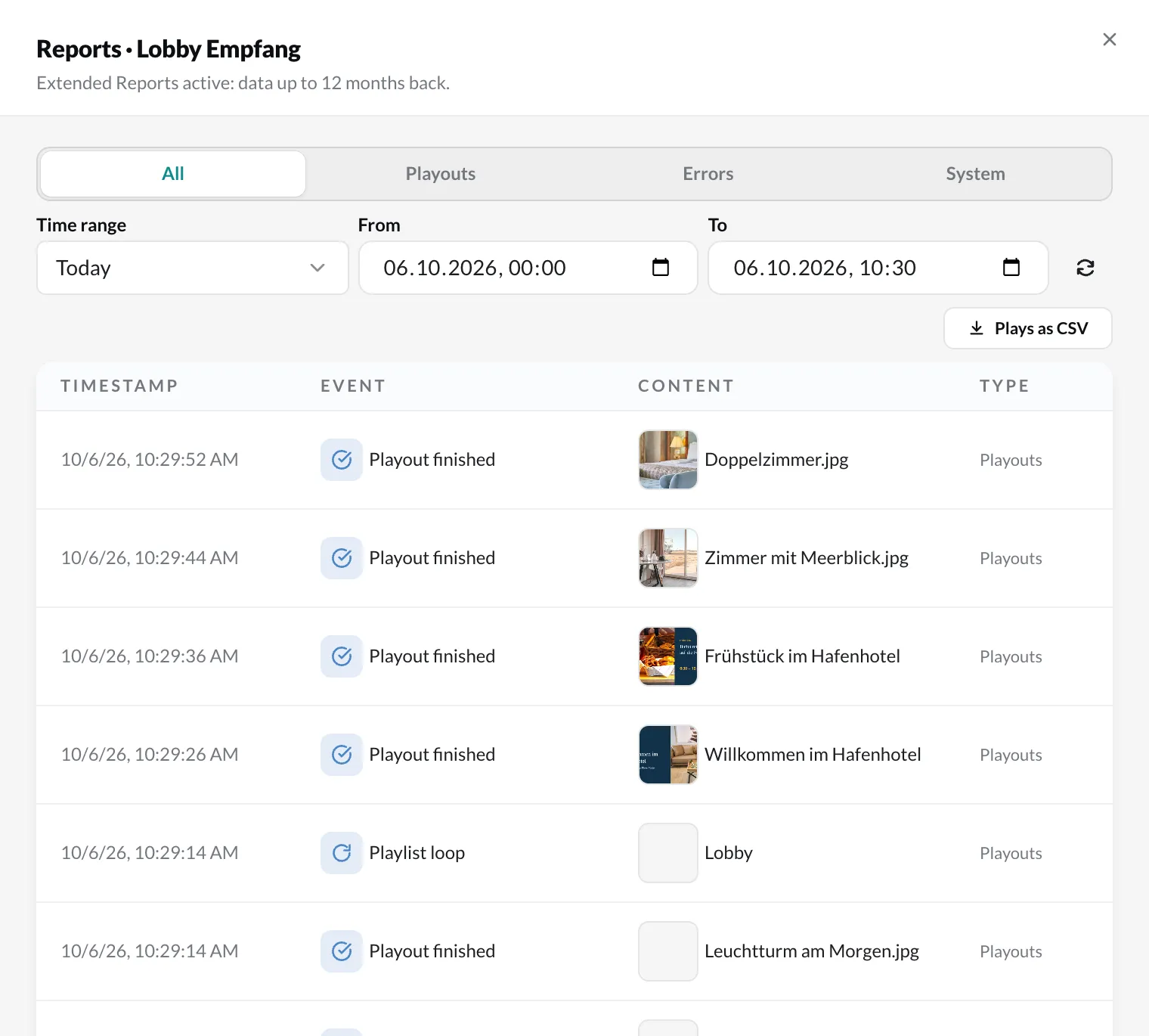
Section titled “Device report”Under Devices, right-click a device › Reports. The list shows the device’s events: playouts, errors, ads and system events. With Time range you choose, for example, This week or Last 90 days; via the filters you narrow down to Playouts, Errors, Ads or System. With Plays as CSV you download the playouts.
Content report
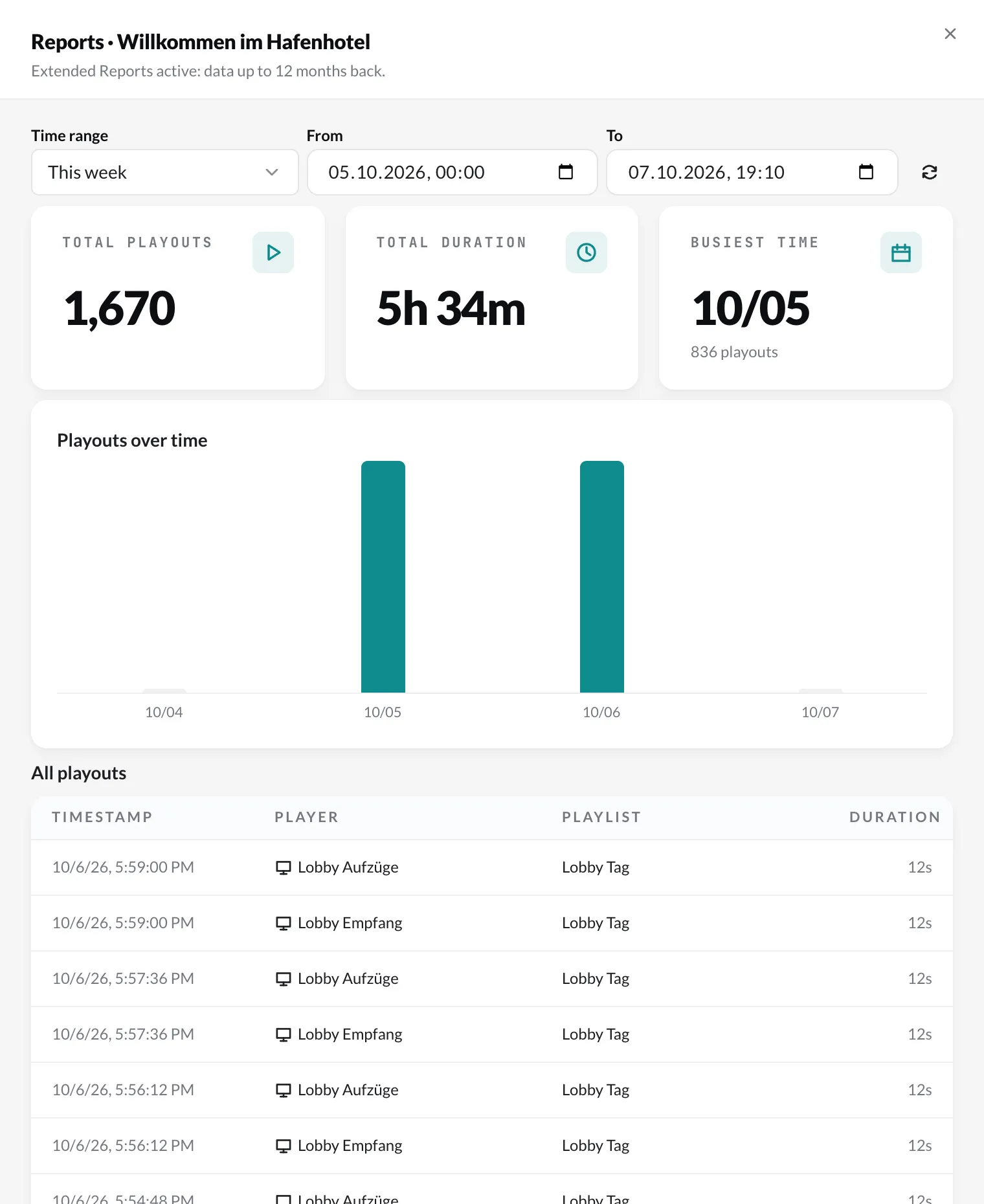
Section titled “Content report”In the Media library, right-click a piece of content › Reports. You see how often it was aired, the total duration, the most active time and a history. Clicking a bar filters the list below to that period.
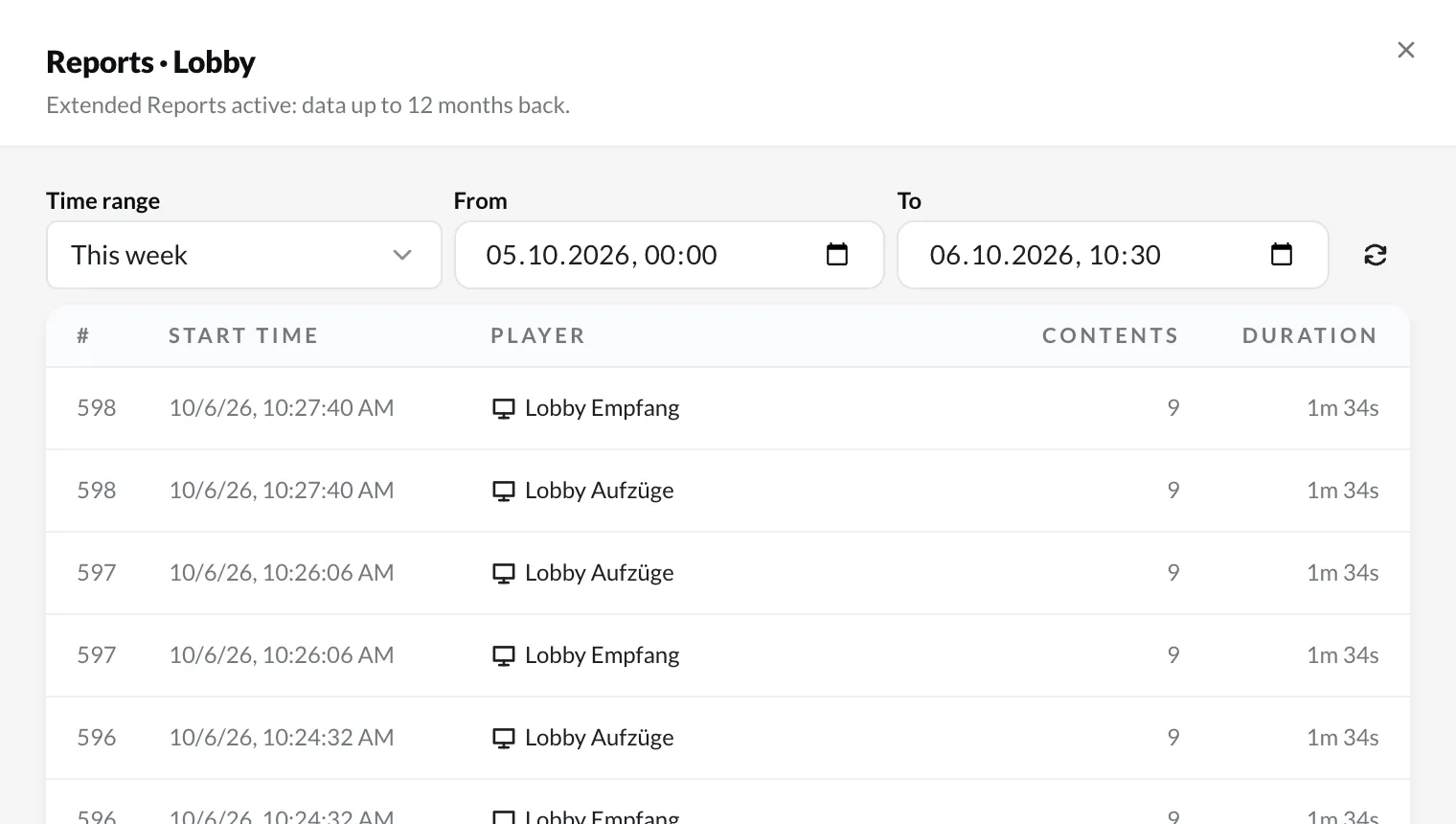
Playlist report
Section titled “Playlist report”Under Playlists, right-click a playlist › Reports. The list shows every run per player. Clicking a run shows which content ran in it and in which order.