
Plugins on the device
A booked plugin only takes effect once you assign it to a device. You do this in the device’s settings in the Plugins section (right-click the device › Settings › Plugins).
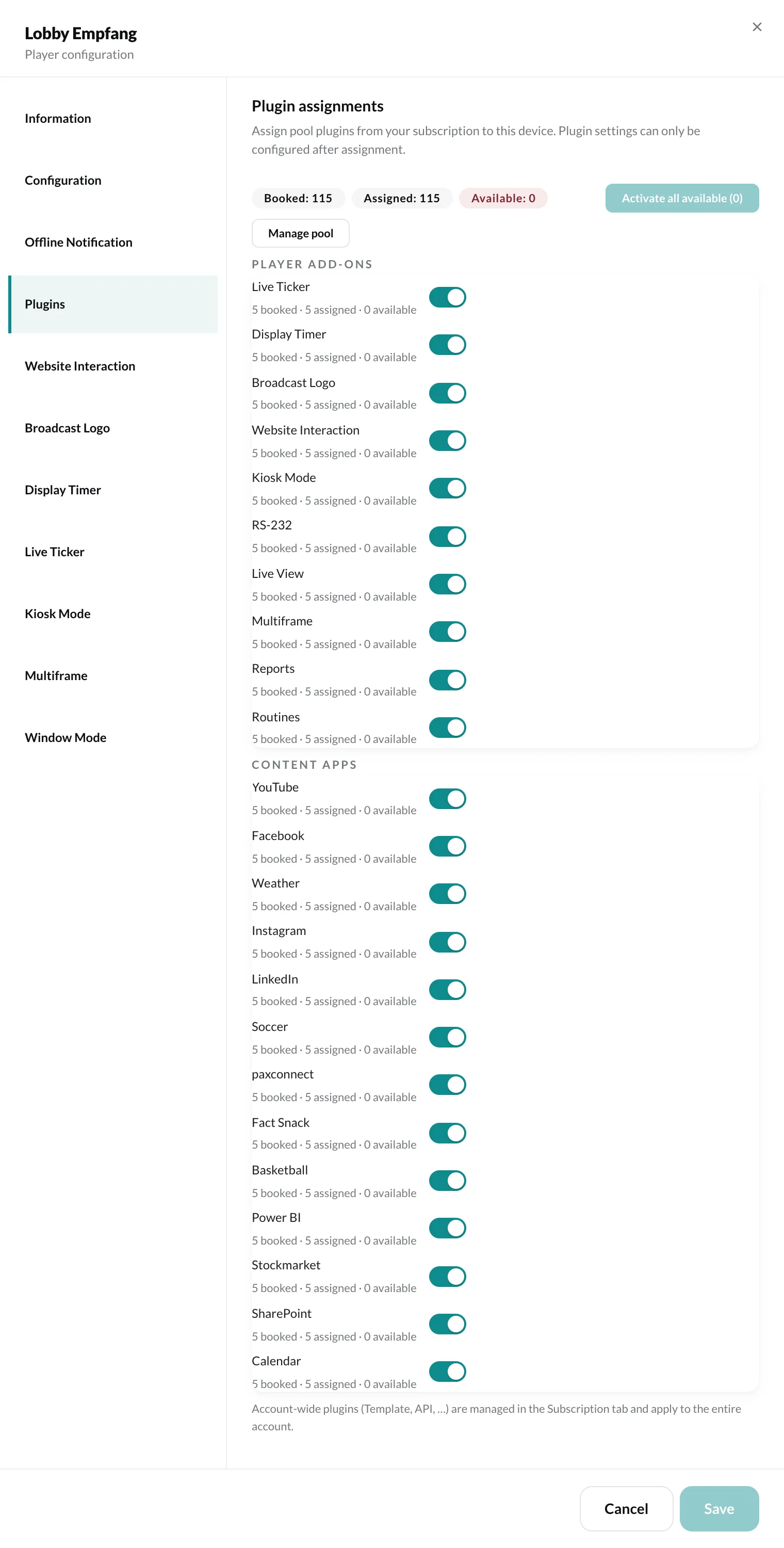
At the top you see, for each plugin, how many licenses are booked, assigned and available. Below that, the plugins are listed in two groups: Player add-ons and Content plugins.
- With the switch next to a plugin, you assign it to this device or remove it.
- Activate all available assigns all plugins with a free license at once.
- Manage pool opens Settings › Plan & billing, where you book more licenses.
Only after the assignment can you open the plugin’s settings. The player add-ons then appear as separate sections on the left, e.g. Display Timer or Kiosk Mode.
Each of these sections has three states:
| State | Meaning |
|---|---|
| Inherit from group | The device uses the group’s settings. |
| Custom configuration | The device has its own settings. |
| Disabled | The plugin is off for this device. |
Which plugins exist and what they cost is described under Plugins and Plans & subscriptions.