
White Label
With White Label, viewneo appears in your own branding – for you and all your sub-accounts: your own app name, logo and colors, your own sign-in page under your own subdomain, and system emails with your sender.
White Label is a bookable add-on module for Enterprise accounts. If it isn’t booked, the tab shows a notice; to book it, contact viewneo sales. You will find the price under Plans & subscriptions.
Set up branding
Section titled “Set up branding”Open Settings › Enterprise, tab White-label. On the right, the Preview shows what the CMS and the Login page look like with your details.
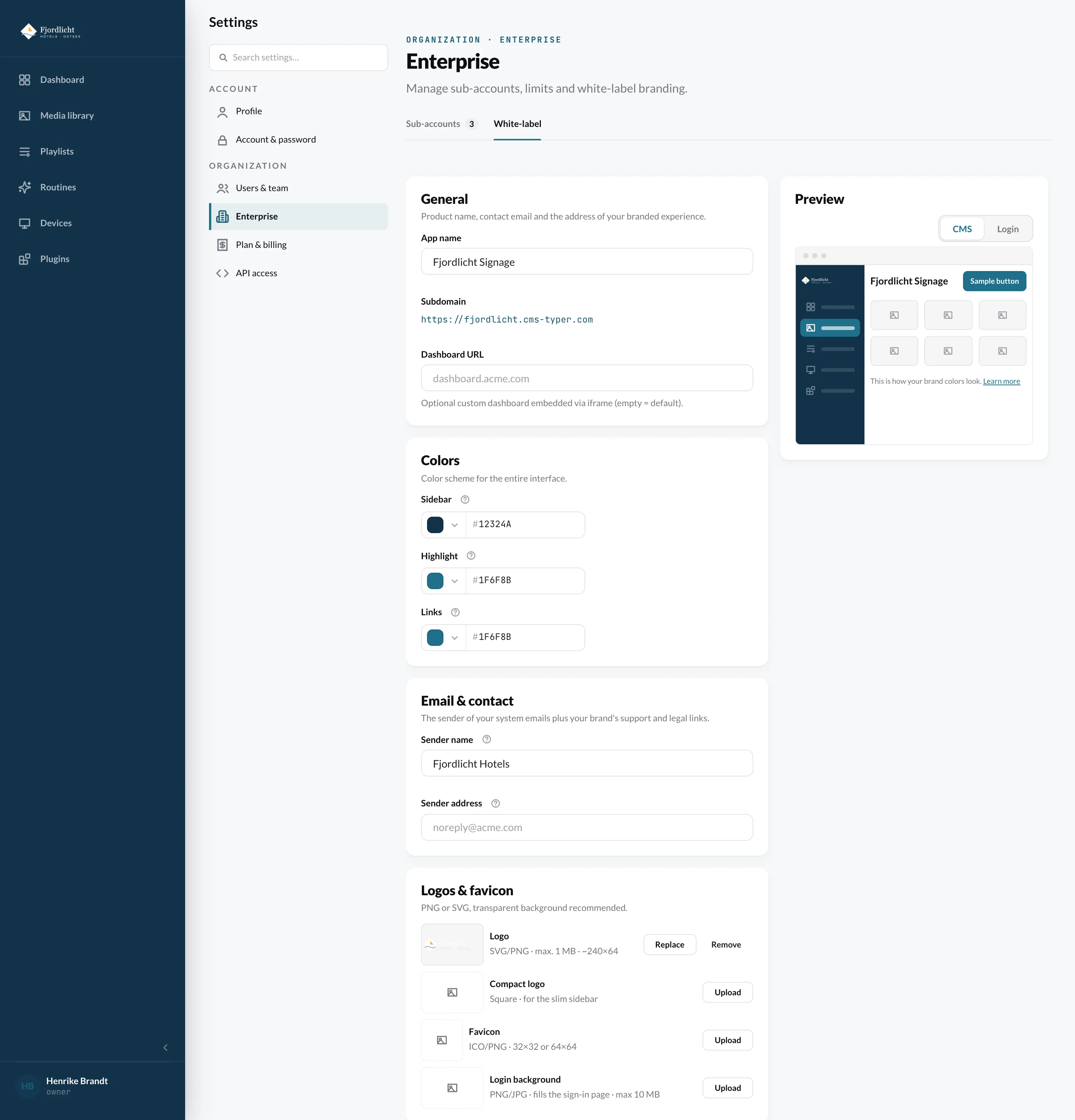
General
Section titled “General”- App name – the product name that appears instead of “viewneo”.
- Subdomain – your address for the CMS and sign-in. The name needs at least three characters (lowercase letters, numbers, hyphen); the CMS checks immediately whether it is available.
- Dashboard URL – optionally a custom dashboard that is embedded. Leave empty for the standard dashboard.
Colors
Section titled “Colors”- Sidebar – background color of the sidebar.
- Highlight – accent for buttons, selection and focus.
- Links – color for hyperlinks.
System emails use the sidebar color as the background and the highlight color for their buttons.
Email & contact
Section titled “Email & contact”- Sender name and Sender address – who system emails to your customers come from. The domain of the address must be approved for sending – contact viewneo Support before you change it.
- Reply-to address – replies to system emails go here.
- Email footer – appears below every system email, e.g. company name and address.
- Support URL – your help area. Without a value, the interface hides the help link.
- Legal URL – your company’s imprint, terms and privacy policy.
Logos & favicon
Section titled “Logos & favicon”| Image | Format |
|---|---|
| Logo | SVG or PNG, max. 1 MB, about 240 × 64 pixels |
| Compact logo | square, for the collapsed sidebar |
| Favicon | ICO or PNG, 32 × 32 or 64 × 64 pixels |
| Login background | PNG or JPG, fills the sign-in page, max. 10 MB |
A transparent background is recommended. For system emails, a PNG logo works better than SVG, because not every email program displays SVG.
Finally, click Save.