
Images
You upload images via Media library › Add › Upload files or drag them straight into the media library. You can then use them in playlists, Slides and Templates.
Formats
Section titled “Formats”| Format | Note |
|---|---|
| JPEG, PNG, GIF, WebP, SVG | are kept unchanged |
| TIFF, BMP, HEIC/HEIF (e.g. from an iPhone) | are converted to JPEG or PNG on upload |
Edit an image
Section titled “Edit an image”Right-click the image to open the context menu:
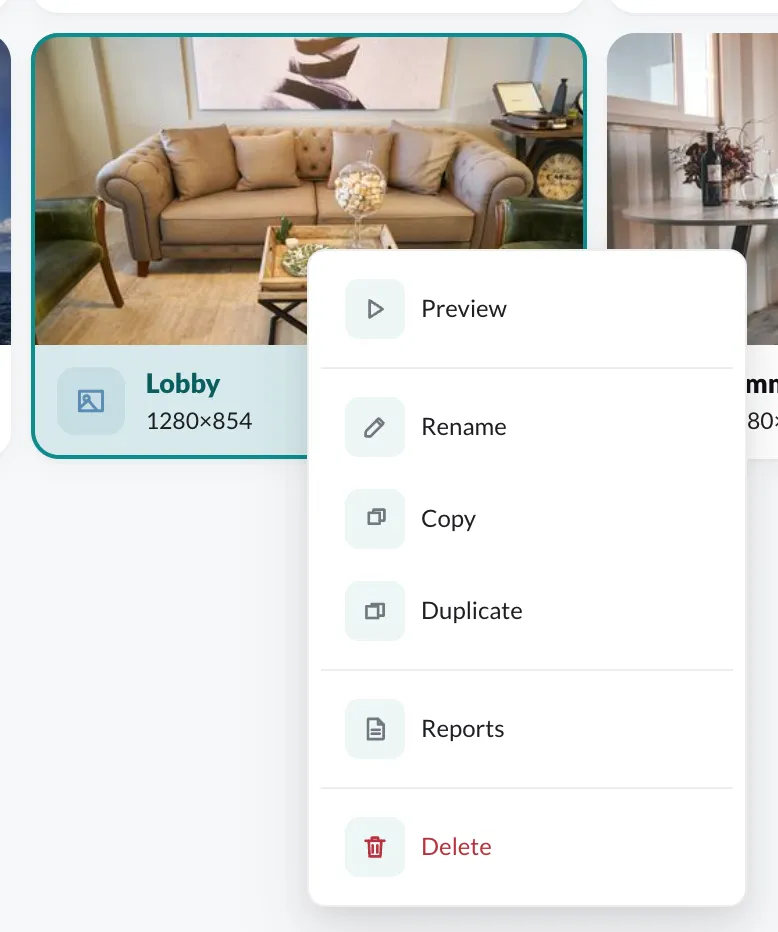
- Preview – view the image in full size
- Rename
- Copy / Duplicate – a copy in the same or another folder
- Reports – how often the image ran on which players (with the Reports plugin)
- Delete