
Power BI
The Power BI plugin shows a report or dashboard from Microsoft Power BI on your screens.
Book the plugin under Plugins and assign it to the devices on which it should run. Then create the content in the Media library via Add › Plugins › Power BI.
Connect an account
Section titled “Connect an account”Connect your Microsoft account. As with SharePoint, a Microsoft 365 administrator may need to approve the app once (Admin approval).
Settings
Section titled “Settings”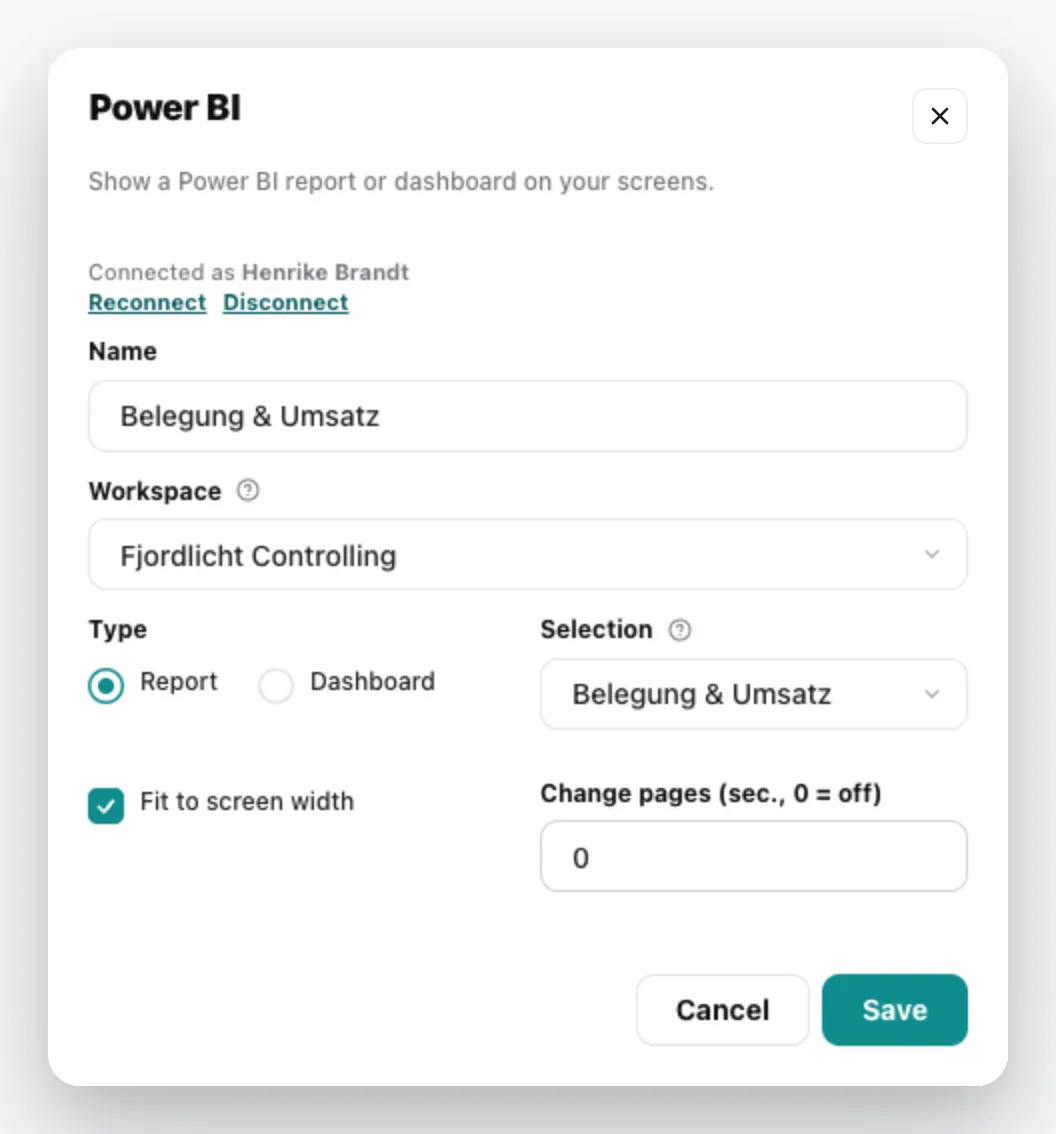
| Field | Meaning |
|---|---|
| Name | Title of the content |
| Workspace | the Power BI workspace; you can choose from those your Microsoft account has access to |
| Type | Report or Dashboard |
| Selection | which report or dashboard |
| Fit to screen width | fits the report to the width of the screen |
| Change pages (sec., 0 = off) | after how many seconds the next page of the report appears; 0 turns off the page change |
The content appears in the media library; add it to a playlist like any other content. You can change it via the context menu › Edit. General information under Content plugins.