
Adding elements
You add new elements via the + above the layers.
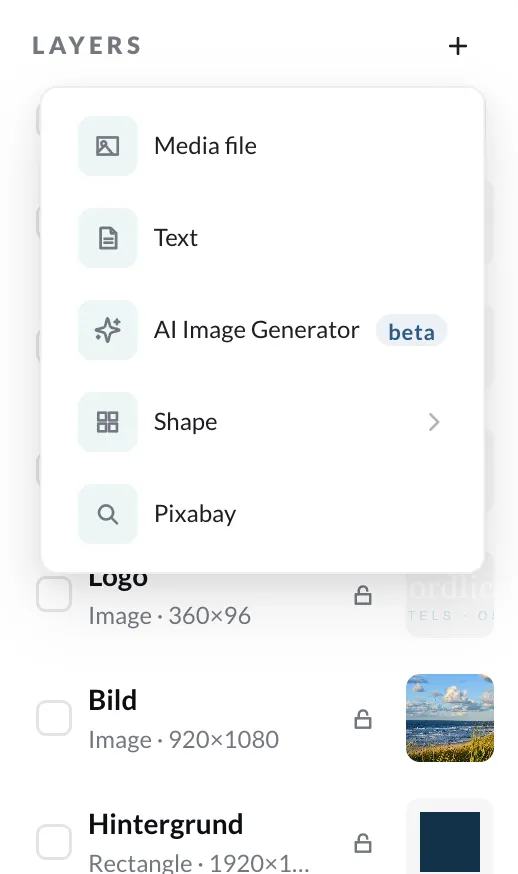
| Element | Description |
|---|---|
| Media file | an image or video from your media library – see Media files |
| Text | a text box – see Text elements |
| AI Image Generator | generates an image from a description – see AI image generator |
| Shape | rectangles, circles, arrows, speech bubbles, symbols and more – see Shapes |
| Pixabay | an image or video from Pixabay – see Pixabay |
| External feed | a text or image from the document’s feed; appears as soon as a feed is set in the document settings |
Move and scale an element with the mouse on the canvas, or enter the exact values under Position & size.
Arrange elements
Section titled “Arrange elements”- Align in the properties aligns an element to the canvas – left, center, right, top, center, bottom.
- With Aspect ratio, an element keeps its proportions when scaled.
- The order of the layers determines what is in front.