
Roles
Every team member has a role. A role is a template for the permissions – you can adopt it or adjust the permissions individually (see Manage permissions).
Every account has exactly one owner – the person who created the account. The owner always has all permissions, and their permissions cannot be changed. They can transfer the role to another active member and become an admin themselves in the process.
The templates
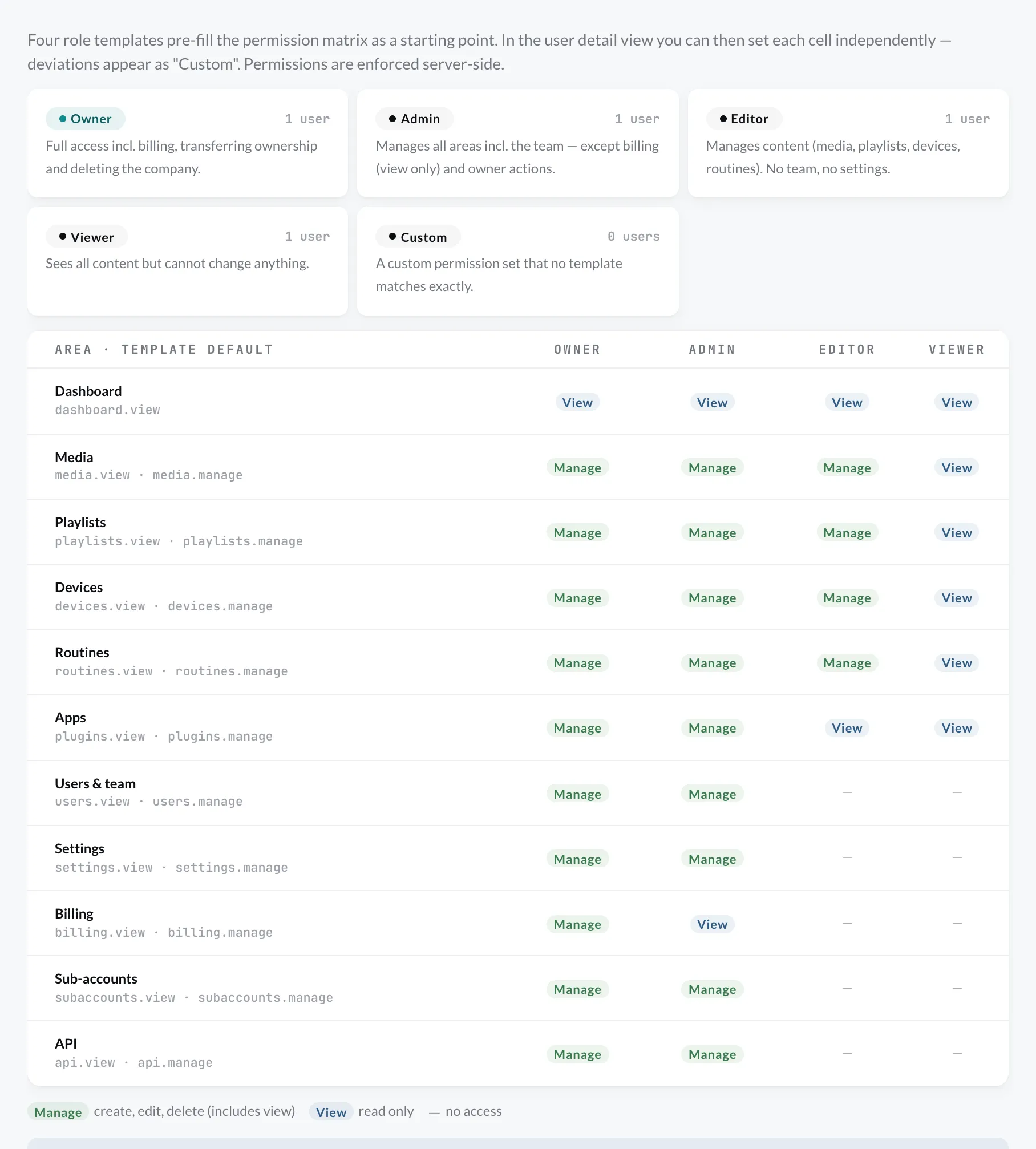
Section titled “The templates”| Area | Admin | Editor | Viewer |
|---|---|---|---|
| Dashboard | View | View | View |
| Media | Manage | Manage | View |
| Playlists | Manage | Manage | View |
| Devices | Manage | Manage | View |
| Routines | Manage | Manage | View |
| Plugins | Manage | View | View |
| Users & team | Manage | – | – |
| Settings | Manage | – | – |
| Billing | – | – | – |
| Sub-accounts¹ | Manage | – | – |
| API² | Manage | – | – |
¹ only with Enterprise · ² only with the API plugin · – = None
You will also find the defaults under Settings › Users & team on the Roles & permissions tab:
Custom
Section titled “Custom”If you adjust a member’s permissions so that they no longer match any template, the list shows Custom as the role. With Apply template in the user details you can restore a template at any time.