
Authentication
All API requests require a valid access token in the Authorization header. viewneo supports two authentication methods: Personal Access Tokens and OAuth2.
Personal Access Token
Section titled “Personal Access Token”The simplest way to authenticate. Generate a token in your viewneo account settings:
- Go to Settings > API in the CMS
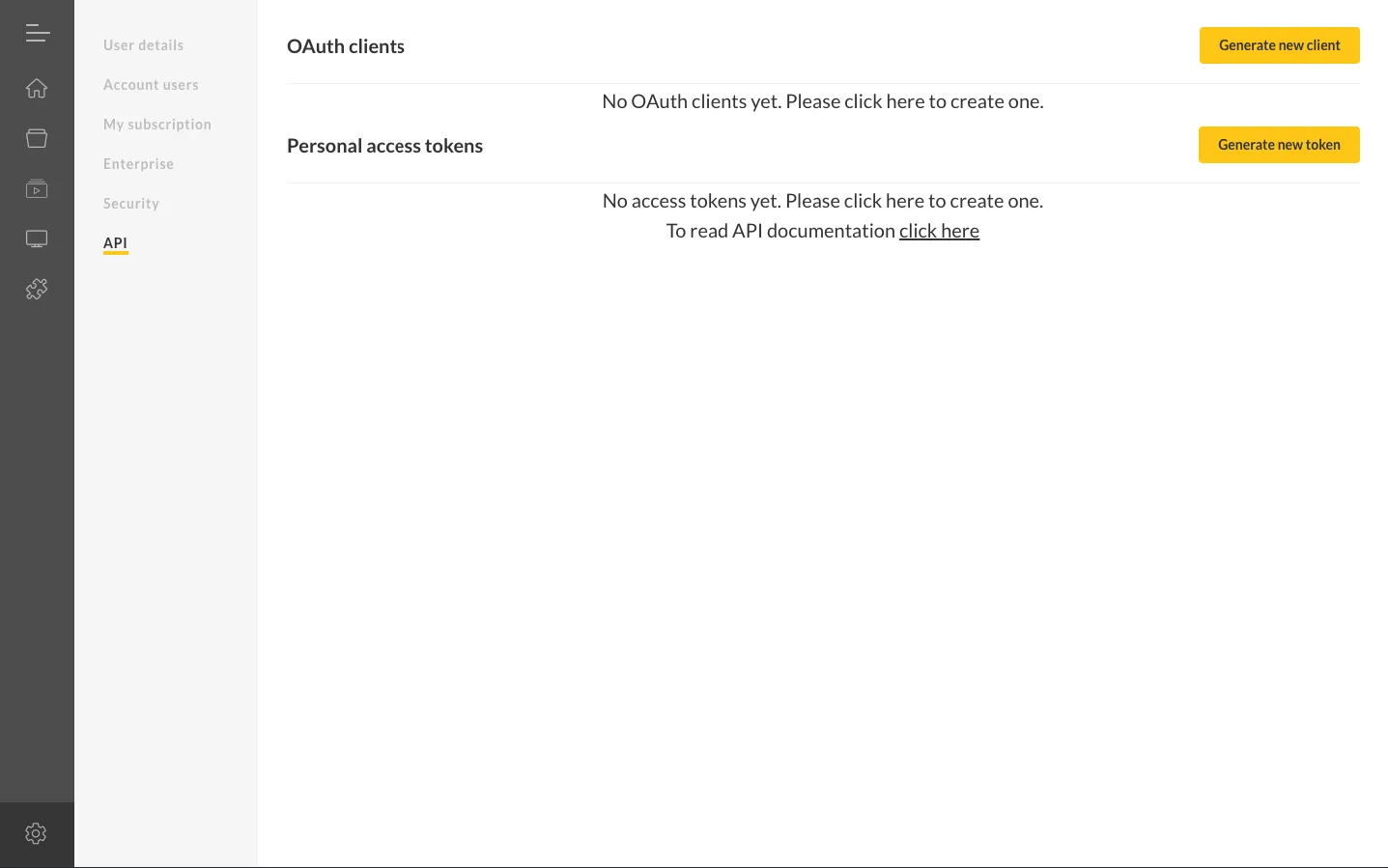 2. Click Generate new token
3. Enter a description to identify the token
4. Click Save
5. Copy the token immediately — it is only displayed once
2. Click Generate new token
3. Enter a description to identify the token
4. Click Save
5. Copy the token immediately — it is only displayed once
Use the token in your API requests:
Authorization: Bearer YOUR_ACCESS_TOKENOAuth2
Section titled “OAuth2”For applications that act on behalf of users, use the OAuth2 authorization code flow.
Step 1: Create an OAuth Client
Section titled “Step 1: Create an OAuth Client”In Settings > API, click Generate new client and configure:
- Description — A label displayed to users during authorization
- Redirect URL — The callback URL where the authorization code is sent
Step 2: Request Authorization
Section titled “Step 2: Request Authorization”Redirect the user to the authorization endpoint:
https://cloud.viewneo.com/oauth/authorize?client_id=YOUR_CLIENT_ID&redirect_uri=YOUR_REDIRECT_URI&response_type=codeAfter the user authorizes your application, they are redirected to your callback URL with an authorization code:
https://example.com/callback?code=AUTHORIZATION_CODEStep 3: Exchange Code for Token
Section titled “Step 3: Exchange Code for Token”Send a POST request to obtain the access token:
curl -X POST https://cloud.viewneo.com/oauth/token \ -H 'Content-Type: application/json' \ -d '{ "grant_type": "authorization_code", "client_id": "YOUR_CLIENT_ID", "client_secret": "YOUR_CLIENT_SECRET", "redirect_uri": "https://example.com/callback", "code": "AUTHORIZATION_CODE" }'Response:
{ "token_type": "Bearer", "expires_in": 1296000, "access_token": "YOUR_ACCESS_TOKEN", "refresh_token": "YOUR_REFRESH_TOKEN"}Step 4: Refresh the Token
Section titled “Step 4: Refresh the Token”When the access token expires, use the refresh token to obtain a new one:
curl -X POST https://cloud.viewneo.com/oauth/token \ -H 'Content-Type: application/json' \ -d '{ "grant_type": "refresh_token", "refresh_token": "YOUR_REFRESH_TOKEN", "client_id": "YOUR_CLIENT_ID", "client_secret": "YOUR_CLIENT_SECRET" }'Using the Token
Section titled “Using the Token”Include the access token in all API requests:
curl -H 'Authorization: Bearer YOUR_ACCESS_TOKEN' \ 'https://cloud.viewneo.com/api/v1.0/playlist'