
Installation
This page describes the available monitor configurations for multimedia steles with viewneo players.
Configurations
Section titled “Configurations”Single Monitor
Section titled “Single Monitor”For a stele with one screen, one player is connected via HDMI.
Required viewneo licenses: 1
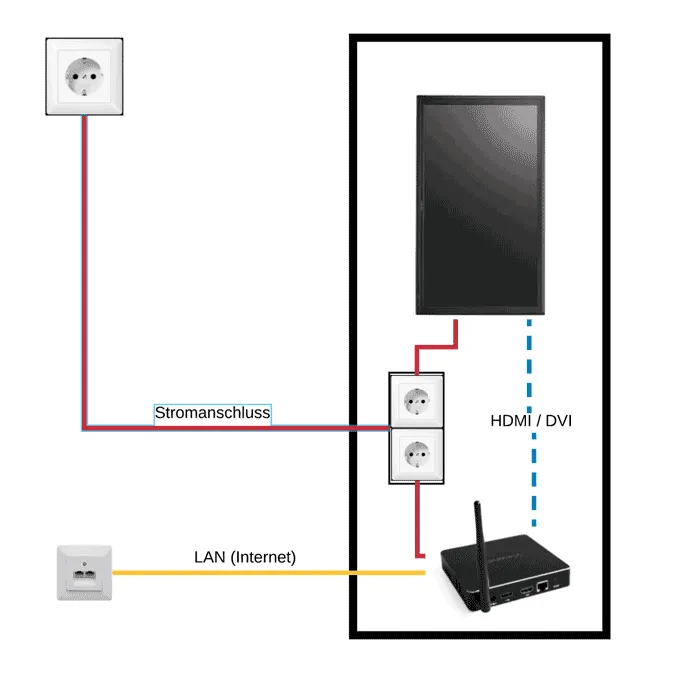
Hardware checklist:
- 1x viewneo player
- 1x HDMI cable
- 1x LAN cable (or WiFi)
Two Monitors — Same Content (Synchronized)
Section titled “Two Monitors — Same Content (Synchronized)”If both screens (e.g., front and back) should display the same content, one player with an HDMI splitter is sufficient.
Required viewneo licenses: 1
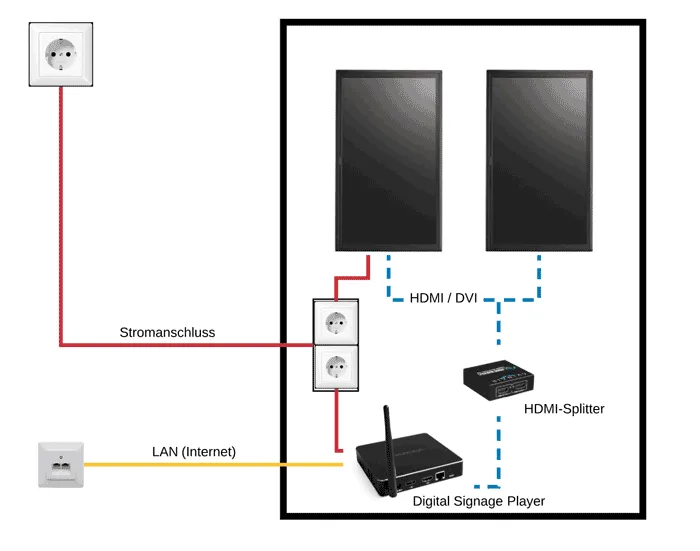
Hardware checklist:
- 1x viewneo player
- 1x HDMI splitter
- 3x HDMI cables
- 1x LAN cable (or WiFi)
Two Monitors — Different Content (Asynchronous)
Section titled “Two Monitors — Different Content (Asynchronous)”If the screens should display different content, a separate player is required for each monitor.
Required viewneo licenses: 2
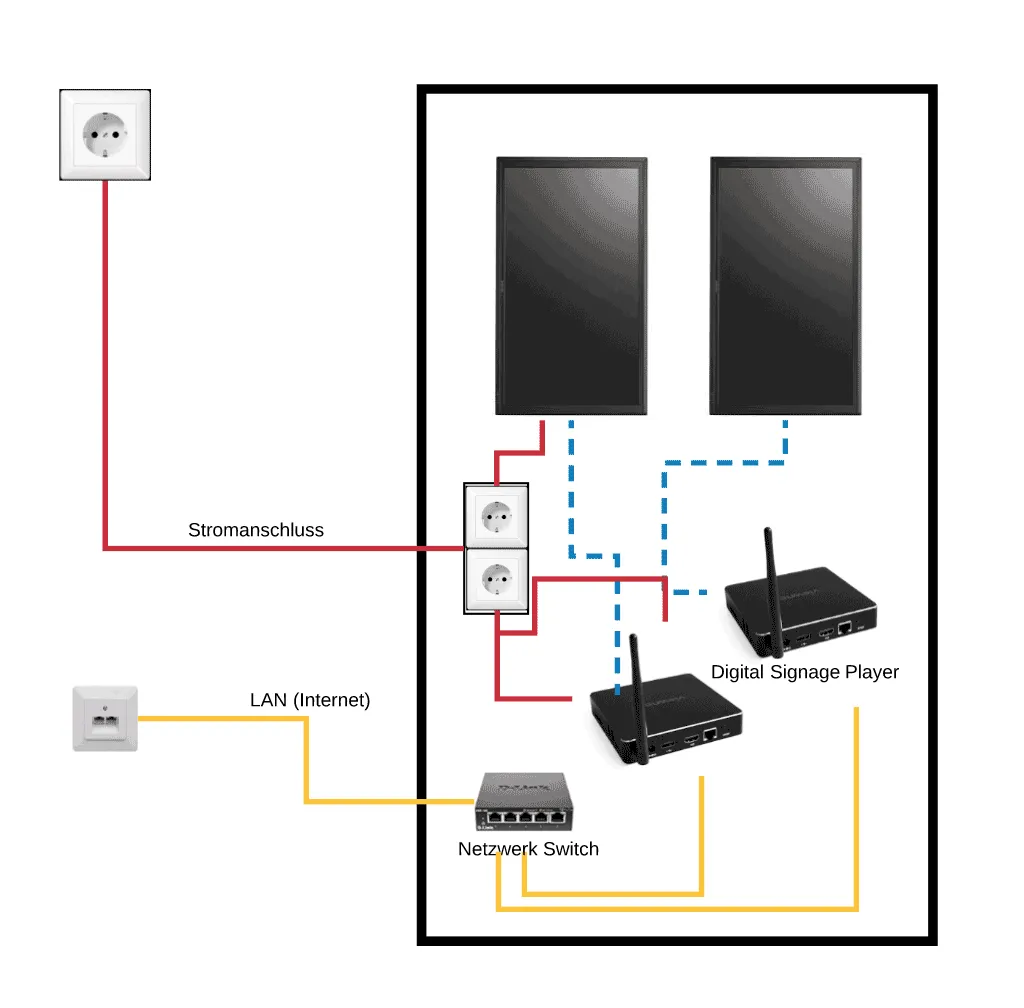
Hardware checklist:
- 2x viewneo players
- 1x network switch
- 2x HDMI cables
- 3x LAN cables (or WiFi)