
Plugins
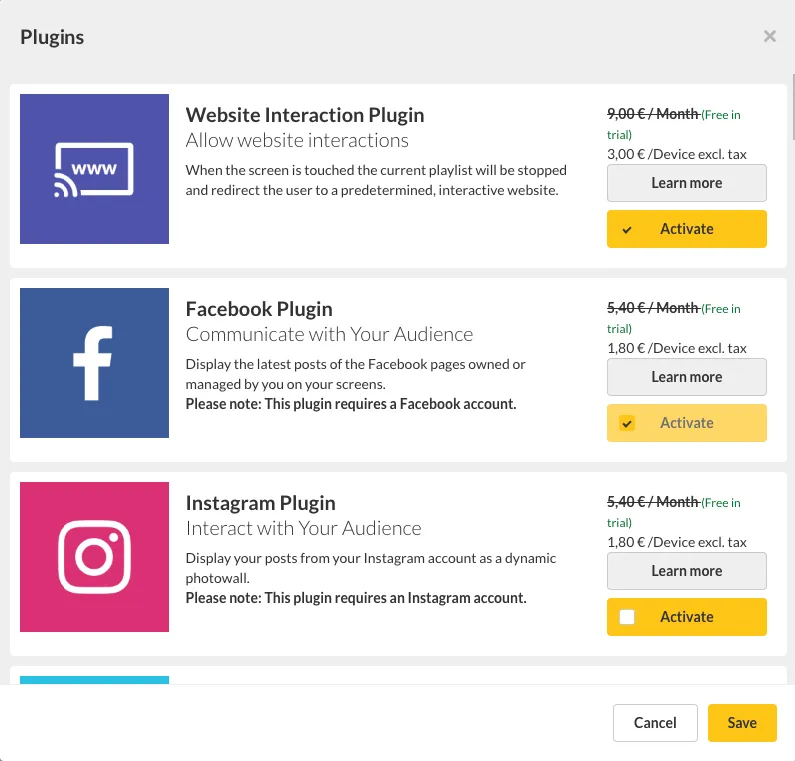
viewneo can be flexibly extended through Plugins. Depending on your needs, activate Content Plugins for additional content types, Function Plugins for advanced device and playlist features, or Integration Plugins for connecting to third-party systems.
Activating Plugins
Section titled “Activating Plugins”Plugins are activated separately in your viewneo subscription:
- Navigate to Account > Subscription > Add-on Plans
- Select the desired plugin
- Activate it for your account
After activation, the new features are immediately available in your CMS.
Content Plugins
Section titled “Content Plugins”Content Plugins extend the media library with new content types. You create the content by right-clicking in the media library and then add it to a playlist as usual.
| Plugin | Description |
|---|---|
| YouTube Plugin | Play YouTube videos on your screens |
| Weather Plugin | Display current weather data |
| Soccer Plugin | Football tables and matchdays from European leagues |
| paxconnect Plugin | Display travel offers from paxconnect |
| Fact Snack Plugin | |
| Instagram Plugin | Display Instagram content from your account |
| Facebook Plugin | Embed Facebook feeds and posts |
| Basketball Plugin | |
| Power BI Plugin | |
| Stockmarket Plugin | |
| SharePoint Plugin | |
| LinkedIn Plugin | |
| Calendar Plugin |
Function Plugins
Section titled “Function Plugins”Function Plugins extend device and playlist capabilities. They are typically configured via device, device group, or playlist settings.
| Plugin | Description |
|---|---|
| Display Timer Plugin | Turn screens on and off on a schedule |
| Kiosk Mode Plugin | Lock devices and protect against unauthorized access |
| Live Ticker Plugin | Display scrolling text with messages, RSS feeds, and time |
| Content Sharing Plugin | Share content, templates, and folders with other users |
| Template Plugin | Create templates with editable and protected elements |
| Live View Plugin | View the current screen output of players remotely |
| RS-232 Plugin | Control screens via the serial RS-232 interface |
| Website Interaction Plugin | Switch to an interactive website on touch |
| Touch Elements Plugin | Make individual elements in slides interactive via touch |
| Screen Sync Plugin | Connect multiple players for video walls and synchronized displays |
| Broadcast Logo Plugin | Display a permanent logo overlay on all screens |
| Reports Plugin | Analyze playback history and error reports from players |
| Smart Playlist Plugin | Control content dynamically through rule-based event chains |
Integration & Automation
Section titled “Integration & Automation”Integration Plugins connect viewneo with external systems and automation platforms.
| Plugin | Description |
|---|---|
| API Plugin | Connect viewneo with your own applications via REST API |
| Zapier Plugin | Link viewneo with 1,000+ apps — no coding required |
Next Steps
Section titled “Next Steps”- Fill a Playlist — Add plugin content to your playlists