
Fact Snack Plugin
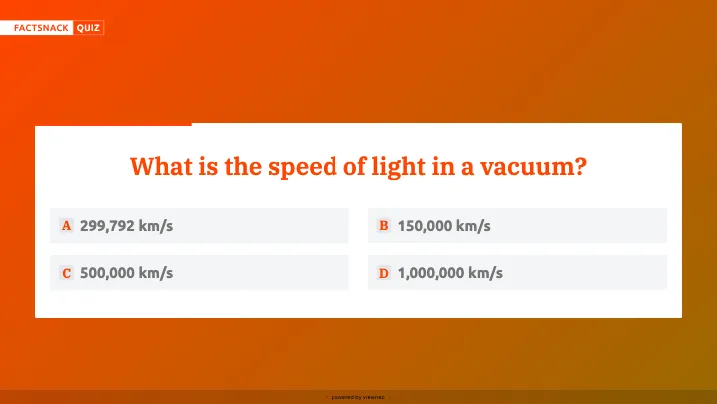
The Fact Snack Plugin lets you display interesting facts and trivia on your digital signage screens — a simple way to add engaging filler content between your main content items.
Prerequisites
Section titled “Prerequisites”- An active viewneo subscription that includes the Fact Snack Plugin
- At least one registered player
Creating Fact Snack Content
Section titled “Creating Fact Snack Content”Step 1: Open the Media Library
Section titled “Step 1: Open the Media Library”- Navigate to the Media Library in the sidebar
- Right-click in the content area to open the context menu
- Select Fact Snack from the list of content types
Step 2: Configure the Content
Section titled “Step 2: Configure the Content”The settings dialog offers the following options:
| Setting | Description |
|---|---|
| Name | A name for the content for internal reference |
| Content Type | Select the type of content to display (e.g., Quote, Fun Fact) |
| Content Language | The language for the displayed content |
Step 3: Save and Add to Playlist
Section titled “Step 3: Save and Add to Playlist”- Click Save to create the Fact Snack content
- The new content appears in your media library
- Add the content to a playlist as usual
Use Cases
Section titled “Use Cases”Retail — Waiting Areas
Section titled “Retail — Waiting Areas”Keep customers entertained while they wait with interesting trivia and fun facts.
Corporate — Break Rooms
Section titled “Corporate — Break Rooms”Display engaging content on screens in break rooms and common areas.
Healthcare — Waiting Rooms
Section titled “Healthcare — Waiting Rooms”Reduce perceived waiting time by showing interesting facts on waiting room screens.
Frequently Asked Questions
Section titled “Frequently Asked Questions”Are facts updated automatically?
Section titled “Are facts updated automatically?”Yes — the plugin rotates through a curated database of facts. New facts are added regularly.
Can I customize the displayed facts?
Section titled “Can I customize the displayed facts?”The Fact Snack Plugin uses a curated database of facts. For fully custom content, consider using Slides & Templates instead.
Next Steps
Section titled “Next Steps”- Fill Playlist — Learn how to add content to a playlist
- Scheduling — Schedule when Fact Snack content should play