
paxconnect Plugin
The paxconnect Plugin transfers individual travel offers from paxconnect directly to your digital signage screens. The plugin was specifically designed for travel agencies and enables straightforward display of offers.
Prerequisites
Section titled “Prerequisites”- An active viewneo subscription that includes the paxconnect Plugin
- A valid paxconnect Code (provided by paxconnect)
- At least one registered player
Creating a paxconnect Content
Section titled “Creating a paxconnect Content”Step 1: Open the Media Library
Section titled “Step 1: Open the Media Library”- Navigate to the Media Library in the sidebar
- Right-click in the content area to open the context menu
- Select paxconnect from the list of content types
Step 2: Configure the Content
Section titled “Step 2: Configure the Content”The settings dialog offers the following options:
| Setting | Description |
|---|---|
| Name | A name for the content for internal reference |
| Code | The paxconnect code of the desired travel offer |
| Color Scheme | Select a color scheme for the offer display |
| Font Style | Select the font style for the display (e.g., Serif) |
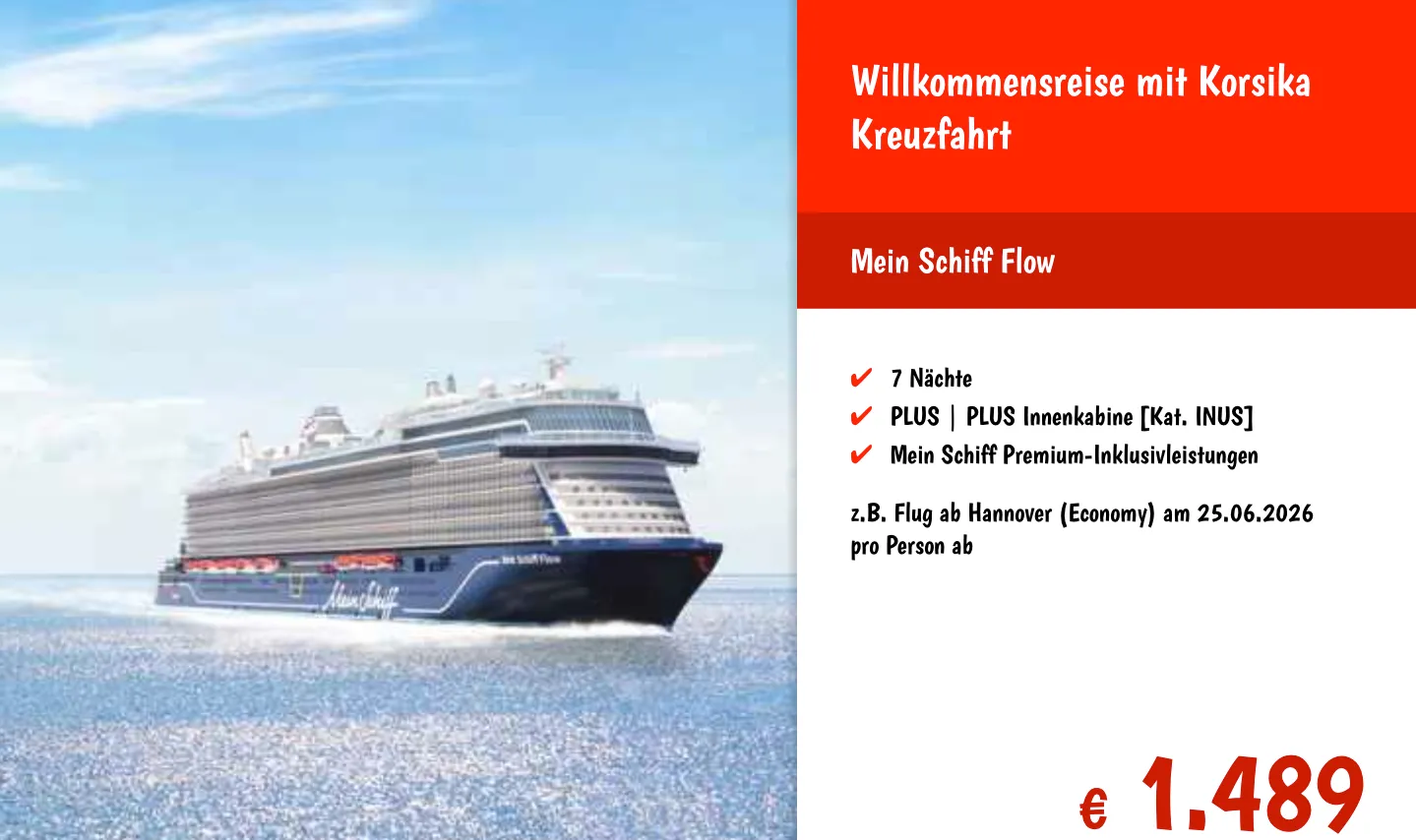
Step 3: Preview and Save
Section titled “Step 3: Preview and Save”- Check the offer’s appearance in the Preview
- Click Save to create the content
- The new content appears in your media library
- Add the content to a playlist as usual
Use Cases
Section titled “Use Cases”Travel Agency — Shop Window
Section titled “Travel Agency — Shop Window”Display rotating travel offers on a screen in the shop window to attract passers-by with current deals.
Travel Agency — Consultation Area
Section titled “Travel Agency — Consultation Area”Present offers on screens in the consultation area to inspire customers during waiting times.
Frequently Asked Questions
Section titled “Frequently Asked Questions”Where do I get the paxconnect code?
Section titled “Where do I get the paxconnect code?”You receive the paxconnect code directly through your paxconnect account. Each travel offer has its own code that you enter in the plugin settings.
Can I display multiple travel offers at the same time?
Section titled “Can I display multiple travel offers at the same time?”Yes. Create a separate paxconnect content item for each offer in the media library and add all items to your playlist.