
Stockmarket Plugin
The Stockmarket Plugin lets you display live stock market data, indices, and ticker information directly on your digital signage screens — ideal for corporate lobbies, financial offices, and hospitality environments.
Prerequisites
Section titled “Prerequisites”- An active viewneo subscription that includes the Stockmarket Plugin
- At least one registered player
Creating Stockmarket Content
Section titled “Creating Stockmarket Content”Step 1: Open the Media Library
Section titled “Step 1: Open the Media Library”- Navigate to the Media Library in the sidebar
- Right-click in the content area to open the context menu
- Select Stockmarket from the list of content types
Step 2: Configure the Content
Section titled “Step 2: Configure the Content”The settings dialog offers the following options:
| Setting | Description |
|---|---|
| Name | A name for the content for internal reference |
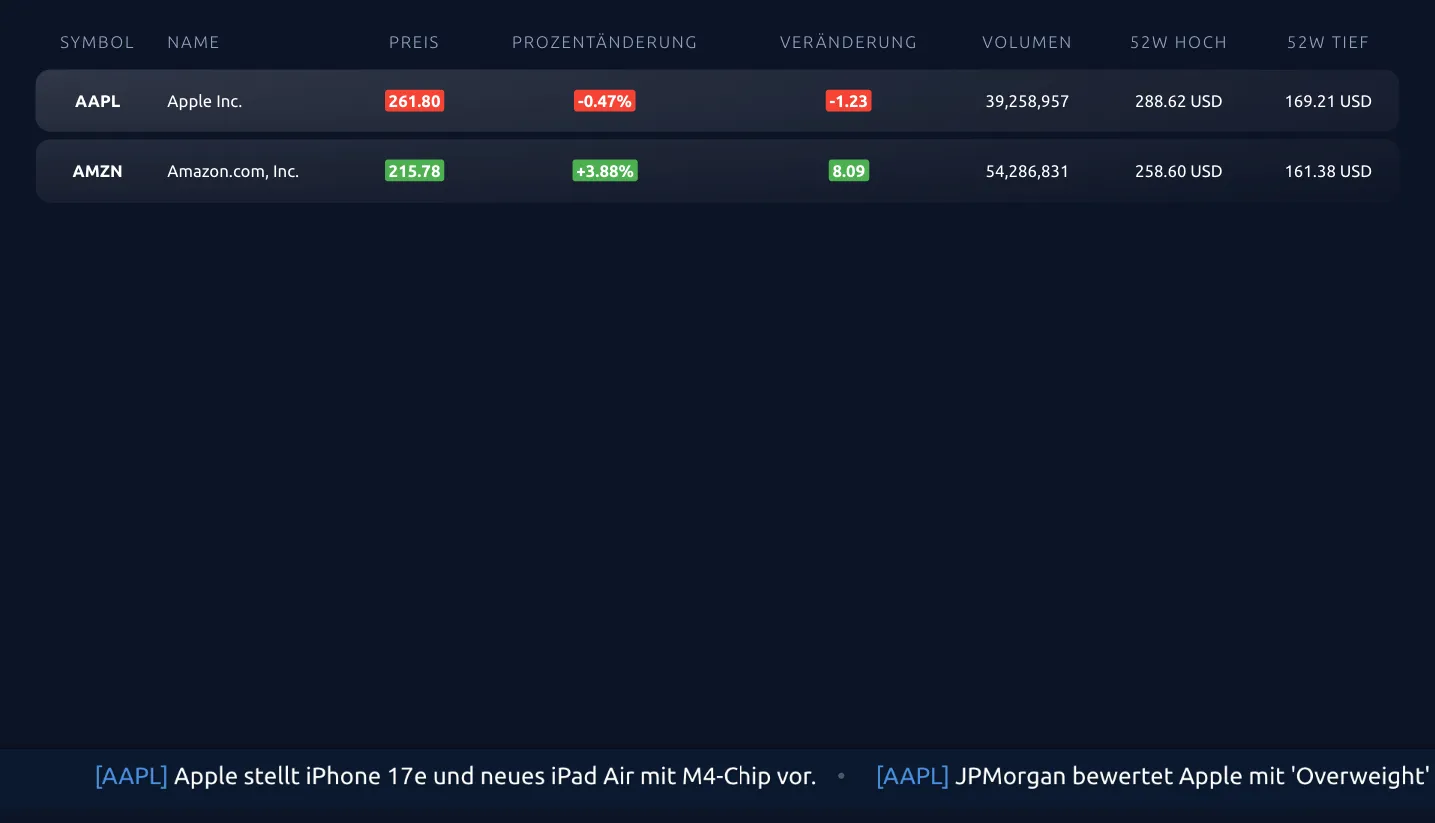
| Stocks | Search and add one or more stocks or indices to display (e.g., SAP SE, Bitcoin, Johnson & Johnson) |
| Period | The time period for the data display (e.g., Daily) |
| Display Type | Choose between Table view or other available display formats |
| Language | The language for the display |
Step 3: Save and Add to Playlist
Section titled “Step 3: Save and Add to Playlist”- Click Save to create the stockmarket content
- The new content appears in your media library
- Add the content to a playlist as usual
Use Cases
Section titled “Use Cases”Corporate — Lobby Displays
Section titled “Corporate — Lobby Displays”Show live stock indices and company share price on lobby screens for visitors and employees.
Financial Services — Client Areas
Section titled “Financial Services — Client Areas”Display relevant market data on screens in client-facing areas of banks and financial advisory offices.
Hospitality — Hotel Lobbies
Section titled “Hospitality — Hotel Lobbies”Present international stock market data on screens in hotel business centers and lobbies.
Frequently Asked Questions
Section titled “Frequently Asked Questions”Which stock exchanges are supported?
Section titled “Which stock exchanges are supported?”The plugin supports major international indices and stock exchanges. The available options are shown in the configuration dialog.
How often is the data updated?
Section titled “How often is the data updated?”Data is updated at regular intervals during market hours. The exact frequency depends on the data provider and your configured refresh interval.
Next Steps
Section titled “Next Steps”- Fill Playlist — Learn how to add content to a playlist
- Multiframe Plugin — Combine stock data with other content using split-screen layouts