
Filters
Filters restrict when a routine is actually executed. Without filters, the routine runs on every matching trigger.
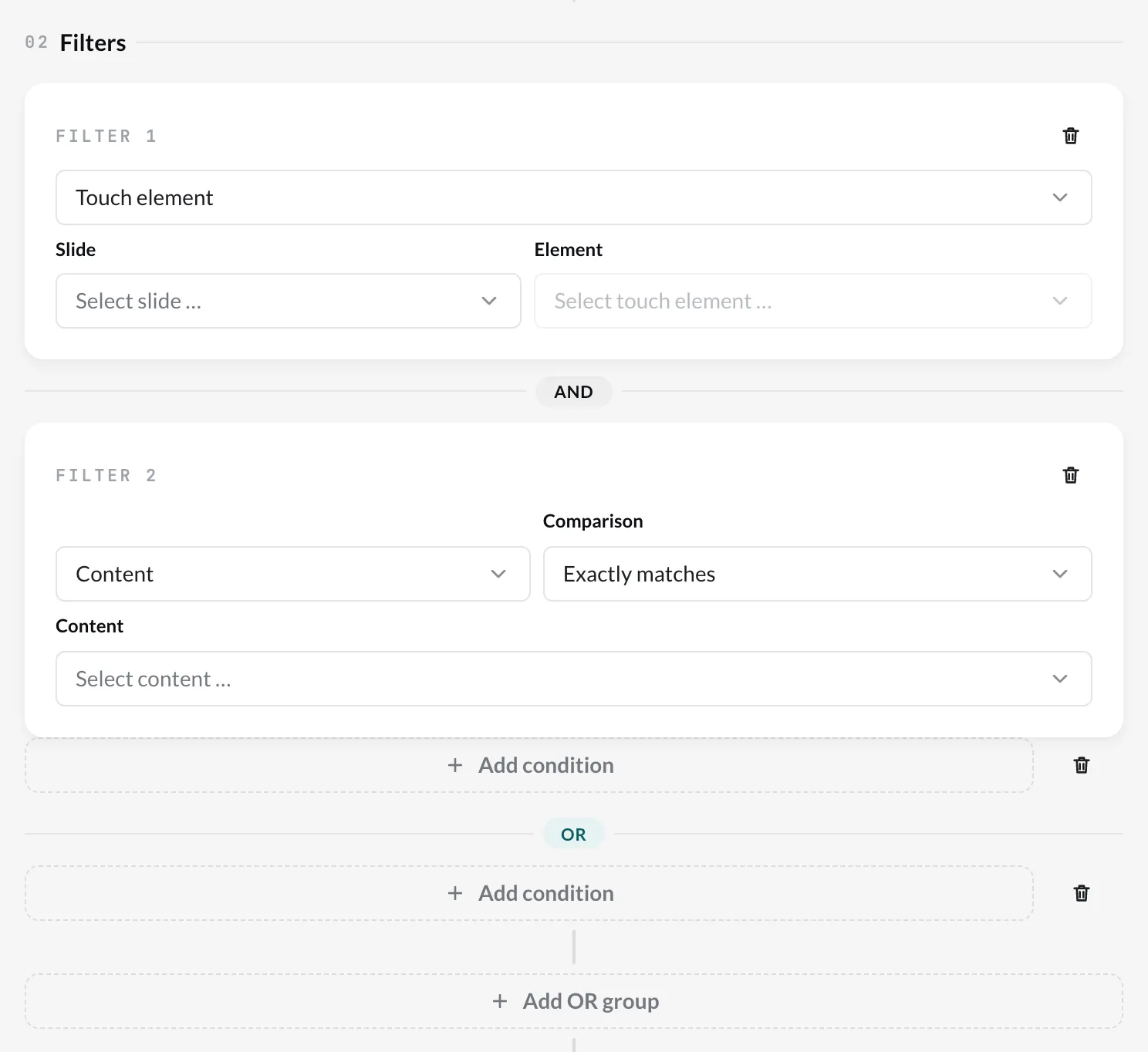
The filters
Section titled “The filters”| Filter | Applies if … |
|---|---|
| Touch element | a specific touch element in a specific Slide was touched. |
| Content | the trigger concerns exactly this content. |
| Content name | the name of the content matches – also as partial text. |
| Content type | the content is of a specific type (image, video, website …). |
| Time window | the current time is within the configured window. |
| Date range | the date is between “from” and “to”. |
| RFID reader | the tag change happened on specific readers of the hub. Only with the RFID tag trigger. |
| RFID tag | a specific tag was placed or lifted – by name or ID. Only with the RFID tag trigger. |
Which filters are available depends on the trigger. If you change the trigger, the editor removes filters that no longer fit. The RFID filters, and what Content means with RFID, are described in RFID in routines.
AND and OR
Section titled “AND and OR”- Conditions within a group must all apply (AND). Use Add condition to add another one.
- Several groups are linked with OR – one of them is enough. Use Add OR group to create a new group.
Example: A routine should react when the content is called “Abendkarte” and it is between 5 pm and 10 pm – or when we are in the promotional week from December 1 to 7. Then you create a group with Content name and Time window and an OR group with Date range.
Nested playlists
Section titled “Nested playlists”The Content filter offers a nested playlist of the trigger playlist as a whole (under Nested playlists). It counts as a single element:
| Trigger | Matches when … |
|---|---|
| Content started | a run of the nested playlist begins — once, not for every item in it. |
| Content finished | a run ends. |
| Touch interaction | any item from it is currently playing. |
Only a player with current software evaluates this; on older players the filter never matches a nested playlist.